In an increasingly interconnected digital landscape, the imperative for robust network security and privacy has never been more pronounced. From safeguarding sensitive corporate data during remote access to protecting personal information on public Wi-Fi networks, individuals and organizations alike constantly seek reliable mechanisms to encrypt their internet traffic and obscure their online presence. Among the most prevalent and powerful tools in this cybersecurity arsenal are Virtual Private Networks (VPNs) and SSH (Secure Shell) tunneling. While both technologies aim to create secure conduits for data transmission, their architectural underpinnings, operational scopes, and inherent security models diverge significantly. This comprehensive exploration delves into the nuanced comparison between SSH tunneling and VPN connections, dissecting their respective strengths, weaknesses, and optimal use cases to answer the pivotal question: is one inherently “safer” than the other?
The discourse surrounding digital security often simplifies complex technical solutions into binary choices. However, a truly advanced understanding necessitates a deeper dive into the specific threat models, operational requirements, and trust assumptions associated with each technology. This article aims to provide that depth, moving beyond superficial comparisons to offer actionable insights for professionals and discerning users alike. We will dissect the mechanics of each, evaluate their security postures, examine their privacy implications, and ultimately guide you toward an informed decision tailored to your unique circumstances.
Demystifying SSH Tunneling: A Precision Tool for Secure Data Transfer
SSH, or Secure Shell, is far more than just a protocol for remote command-line access. At its core, SSH is a cryptographic network protocol that enables secure data communication between two networked devices. It provides a secure channel over an unsecured network by using strong encryption and robust authentication mechanisms. While commonly associated with managing remote servers, one of its most potent yet often underutilized features is its ability to create secure tunnels for arbitrary network services.
What is SSH? The Foundation of Secure Shell
The SSH protocol operates at the application layer of the TCP/IP model, designed to replace insecure predecessors like Telnet and rlogin. Its primary function is to facilitate secure remote login and command execution, but it also supports secure file transfers (SFTP, SCP) and, crucially for our discussion, port forwarding. SSH ensures the confidentiality and integrity of data exchanged between a client and a server through a combination of symmetric encryption, asymmetric encryption, and hashing.
When an SSH connection is established, the client and server first negotiate encryption algorithms and exchange public keys for authentication. This handshake process establishes a secure, encrypted channel, preventing eavesdropping, man-in-the-middle attacks, and data tampering. The strength of SSH lies in its reliance on well-vetted cryptographic primitives, ensuring that once a tunnel is established, the data flowing through it is highly protected.
How SSH Tunneling Works: The Art of Port Forwarding
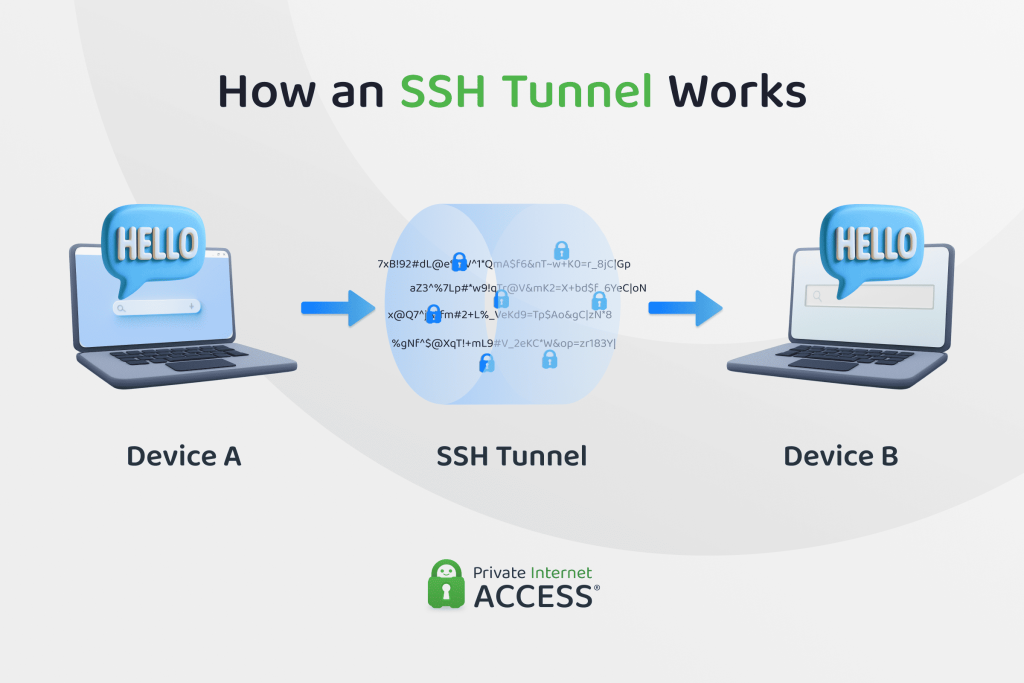
SSH tunneling, also known as SSH port forwarding, is the process of creating an encrypted tunnel between a local port on your machine and a port on a remote server, or even another machine accessible from that remote server. This effectively redirects network traffic through the secure SSH connection, shielding it from external snooping. There are three primary types of SSH port forwarding:
- Local Port Forwarding: This is the most common type. It allows you to connect from your local machine to a remote server’s port through the SSH server. For instance, you could access an internal web server (e.g., on port 80) on a remote network as if it were running on a local port (e.g., port 8080) on your machine. The traffic from your local port is securely sent through the SSH tunnel to the SSH server, which then forwards it to the target service. This is invaluable for bypassing corporate firewalls that restrict direct access to internal services.
- Remote Port Forwarding: This allows a remote machine to connect to a service on your local machine through the SSH server. Imagine you want to expose a local web server on your laptop to a colleague who only has access to your SSH server. Remote port forwarding makes this possible by creating a tunnel from a port on the SSH server to a port on your local machine.
- Dynamic Port Forwarding (SOCKS Proxy): This is the most flexible type and is often what people refer to when comparing SSH tunneling to a VPN. Dynamic port forwarding creates a SOCKS proxy on your local machine. When you configure your applications (like web browsers) to use this SOCKS proxy, all their traffic is routed through the SSH tunnel to the SSH server. The SSH server then acts as a proxy, forwarding the traffic to its intended destination on the internet. This effectively allows you to use the SSH server’s internet connection and IP address for your proxied applications, offering a degree of IP masking for specific traffic.
The core concept across all these types is the ability to encapsulate non-SSH traffic within the encrypted SSH channel. This makes SSH tunneling an incredibly versatile tool for accessing resources, bypassing network restrictions, and securing specific application traffic.
Inherent Security Features of SSH Tunnels
The security of SSH tunnels stems directly from the robust design of the SSH protocol itself. Key features include:
- Strong Encryption: SSH employs industry-standard symmetric encryption algorithms (like AES-256 or ChaCha20-Poly1305) to encrypt all data exchanged within the tunnel. This ensures that even if an attacker intercepts the traffic, they cannot decipher its contents without the encryption key.
- Robust Authentication: SSH supports various authentication methods, including password-based authentication and, more securely, public-key authentication. Public-key authentication, where a client uses a private key to prove its identity to the server’s public key, is highly resistant to brute-force attacks and credential theft. This mutual authentication ensures both the client and server are legitimate.
- Data Integrity Checks: Beyond encryption, SSH uses Message Authentication Codes (MACs) to ensure data integrity. This means that any tampering with the data during transit will be detected, preventing malicious modification of the data stream.
- Granular Control: Unlike a full VPN, SSH tunneling offers granular control. You can choose exactly which applications or ports use the tunnel, providing a highly targeted security solution. This reduces overhead for non-critical traffic and can be configured to circumvent specific firewall rules more effectively.
The security of an SSH tunnel is heavily reliant on the security of the SSH server itself. If the SSH server is compromised, or if its configuration is weak, the tunnel’s security can be undermined. Therefore, managing your SSH server with best practices (e.g., strong passwords, key-based authentication, disabling root login, regular updates) is paramount.
Understanding VPN Connections: The Holistic Approach to Network Privacy
Virtual Private Networks (VPNs) have become a household term, synonymous with online privacy and security. While SSH tunneling provides a secure point-to-point connection for specific services, a VPN aims to create a secure, encrypted tunnel for all of your device’s internet traffic, effectively extending a private network across a public one.
What is a VPN? A Virtual Private Network Defined
A VPN establishes a secure connection between your device and a remote server operated by a VPN provider. This server acts as an intermediary for all your internet traffic. When you connect to a VPN, your device creates an encrypted tunnel to the VPN server. All your data, from web browsing to streaming to file downloads, is encapsulated and encrypted within this tunnel before it leaves your device. Once it reaches the VPN server, the traffic is decrypted and sent to its final destination on the internet, appearing to originate from the VPN server’s IP address rather than your own.
The “private” aspect of a VPN refers to its ability to make your online activities private from your Internet Service Provider (ISP), government surveillance, and other third parties who might monitor your network traffic. The “virtual” aspect signifies that this private network is created over a public infrastructure, typically the internet, without the need for dedicated physical connections.
How VPNs Operate: Encapsulation and Routing
The operational model of a VPN involves several key steps:
- Client-Server Connection: Your device (the client) initiates a connection to a VPN server.
- Authentication: The client and server authenticate each other, typically using credentials or certificates.
- Tunnel Establishment: Once authenticated, an encrypted tunnel is established using various VPN protocols. This tunnel is a logical connection that encapsulates all your outgoing and incoming internet traffic.
- Data Encapsulation and Encryption: All your internet data is wrapped in an outer packet and encrypted. This encrypted packet is then sent through the tunnel to the VPN server.
- Traffic Routing: The VPN server decrypts the traffic, removes the outer packet, and forwards it to its intended destination on the internet. Responses from the internet follow the reverse path: they go to the VPN server, get encrypted and encapsulated, sent back through the tunnel to your device, and finally decrypted by your VPN client.
Common VPN protocols include:
- OpenVPN: An open-source, highly configurable, and very secure protocol widely respected in the industry. It uses strong encryption and can run over UDP or TCP.
- IKEv2/IPsec: A robust and stable protocol, particularly good for mobile devices as it handles network changes (e.g., switching from Wi-Fi to cellular data) gracefully.
- WireGuard: A newer, lean, and fast VPN protocol known for its simplicity and strong cryptography. It aims to be more efficient than OpenVPN and IKEv2.
- L2TP/IPsec: Often used in conjunction with IPsec for encryption, L2TP (Layer 2 Tunneling Protocol) itself doesn’t provide encryption. While widely available, it can be slower and less secure than OpenVPN or WireGuard.
The choice of VPN protocol significantly impacts the overall security, performance, and compatibility of your VPN connection.
Core Security and Privacy Advantages of VPNs
VPNs offer a broad spectrum of security and privacy benefits that make them a popular choice for general internet use:
- Comprehensive Traffic Encryption: A VPN encrypts virtually all data leaving your device, protecting you from eavesdropping, especially on unsecured networks like public Wi-Fi hotspots. This prevents ISPs, network administrators, and potential attackers from seeing your browsing history, downloaded files, or online communications.
- IP Address Obfuscation: By routing your traffic through the VPN server, your actual IP address is masked, and websites and online services see the IP address of the VPN server instead. This enhances anonymity and makes it harder to track your online activities back to your physical location.
- Protection on Public Wi-Fi: Public Wi-Fi networks are notorious for their lack of security. A VPN creates a secure, encrypted tunnel, safeguarding your data from potential attackers on the same network who might try to intercept your traffic.
- Bypassing Geo-Restrictions and Censorship: Since your apparent IP address changes to that of the VPN server, you can often bypass geographical content restrictions (e.g., accessing streaming services available only in certain regions) or circumvent internet censorship imposed by governments.
- Enhanced Anonymity (with caveats): While a VPN can significantly improve your online privacy, true anonymity is a complex goal. The level of anonymity depends heavily on the VPN provider’s logging policy (no-logs policy is crucial), their operational security, and your own online habits.
The primary security concern with a VPN, especially a commercial one, revolves around trusting the VPN provider. You are essentially entrusting all your internet traffic to them, making their integrity, security practices, and privacy policy paramount.
SSH Tunneling vs. VPN: A Head-to-Head Security and Utility Analysis
Now that we have established a foundational understanding of both SSH tunneling and VPN connections, let’s embark on a direct comparison, dissecting their attributes across critical dimensions.
Scope of Protection: Targeted vs. Comprehensive
- SSH Tunneling: SSH tunneling offers a targeted approach. It encrypts and routes traffic for specific applications or ports that you configure to use the tunnel. For example, you might tunnel only your web browser traffic through a SOCKS proxy, leaving other applications (like email clients or system updates) to use your direct internet connection. This precision can be advantageous for specific tasks but leaves non-tunneled traffic exposed.
- VPN Connection: A VPN provides comprehensive protection. Once connected, it typically routes all internet traffic from your device through the encrypted tunnel. This ensures that every application, every background process, and all your browsing activity is protected. This holistic coverage is a major draw for general-purpose security and privacy.
Verdict: For broad, device-wide protection, a VPN is superior. For securing specific applications or services, SSH tunneling offers more granular control.
Encryption and Authentication Strength
Both technologies leverage robust cryptographic primitives, making them inherently secure when properly implemented.
- SSH Tunneling: Relies on the SSH protocol’s strong encryption algorithms (AES, ChaCha20) and robust authentication methods (especially public-key authentication). The encryption is established end-to-end between your client and the SSH server. The security here is largely dependent on the SSH server’s configuration and the strength of the keys/passwords used.
- VPN Connection: Employs various VPN protocols (OpenVPN, WireGuard, IKEv2/IPsec), each with its own suite of strong encryption algorithms (e.g., AES-256) and authentication mechanisms. The security of a VPN also depends on the chosen protocol and the VPN provider’s implementation.
Verdict: Both offer strong encryption and authentication. The “safest” depends more on the specific implementation, configuration, and adherence to best practices rather than an inherent flaw in either technology. Public-key authentication for SSH is exceptionally strong.
Privacy and Anonymity Considerations
This is where a significant divergence occurs.
- SSH Tunneling: While it encrypts your traffic, SSH tunneling offers limited privacy in terms of anonymity. Your traffic exits the SSH server with the server’s IP address, but since you typically own or control the SSH server (or have a direct, known relationship with its owner), your connection can often be traced back to you. It’s excellent for securing traffic from your ISP but less effective for true anonymity from sophisticated trackers or state actors if the server’s ownership is known.
- VPN Connection: VPNs are designed with anonymity in mind. By routing traffic through shared servers and often employing strict “no-logs” policies, reputable VPN providers aim to make it difficult to trace individual user activity. Your IP address is masked by the VPN server’s IP, which is often shared by many users. However, the level of anonymity is entirely dependent on the VPN provider’s trustworthiness, their logging practices (or lack thereof), and their jurisdiction.
Verdict: For general IP masking and a higher degree of anonymity from third parties (excluding the VPN provider itself), a reputable VPN is generally better. SSH tunneling provides privacy from your local network and ISP but less anonymity from the SSH server owner.
Performance Implications
The performance impact differs based on the scope and overhead.
- SSH Tunneling: For specific, tunneled traffic, SSH can be quite efficient. The overhead is relatively low if only a few applications are using the tunnel. However, if you’re using dynamic port forwarding for all your browsing, the performance will depend heavily on the SSH server’s bandwidth and latency, which might not be optimized for general internet traffic.
- VPN Connection: A VPN encrypts and encapsulates all traffic, which inherently introduces some overhead. This can lead to slightly increased latency and reduced bandwidth compared to a direct connection. The performance varies significantly between providers, server locations, and the chosen VPN protocol. WireGuard, for instance, is known for its speed.
Verdict: For minimal overhead on specific tasks, SSH tunneling can be faster. For overall internet usage, a well-optimized VPN service often provides a better balance of speed and security.
Ease of Setup and Management
User experience is a critical factor for widespread adoption.
- SSH Tunneling: Requires a dedicated SSH server (which you might already have if you manage remote systems), command-line knowledge, and manual configuration of applications to use the SOCKS proxy or specific port forwards. It’s more hands-on and technical.
- VPN Connection: Commercial VPN services offer user-friendly applications for various platforms (Windows, macOS, Linux, Android, iOS). Setup typically involves installing an app, logging in, and clicking a “connect” button. It’s designed for ease of use for the average consumer.
Verdict: VPNs are significantly easier for the average user to set up and manage. SSH tunneling requires more technical proficiency.
Flexibility and Use Cases
Each excels in different scenarios.
- SSH Tunneling: Highly flexible for specific, targeted tasks. Ideal for:
- Accessing internal network resources securely from outside a firewall.
- Bypassing restrictive firewalls for a single application (e.g., using an SSH tunnel to access a blocked website or service).
- Securing specific development traffic or database connections.
- Creating a quick, ad-hoc secure connection without a full VPN setup.
- VPN Connection: Best suited for broad, general-purpose security and privacy. Ideal for:
- Protecting all device traffic on public Wi-Fi.
- Achieving IP address obfuscation and enhancing general online anonymity.
- Bypassing geographical content restrictions for streaming or accessing services.
- Securely accessing corporate networks as part of a remote workforce.
- Protecting against ISP surveillance.
Verdict: SSH tunneling offers surgical precision for specific tasks, while VPNs provide a blunt but effective instrument for overall network security.
Trust Model and Server Control
The entity controlling the server is a crucial security consideration.
- SSH Tunneling: You typically control your own SSH server, or you use a server provided by a trusted entity (e.g., your workplace). This gives you direct control over the server’s security, logging, and uptime. The trust model is simpler: you trust yourself or a known entity.
- VPN Connection: With commercial VPN services, you are entrusting your entire internet traffic to a third-party provider. The trust model is more complex, requiring faith in the provider’s “no-logs” policy, their security infrastructure, their jurisdiction, and their commitment to privacy. Even free VPNs can pose significant trust issues, often monetizing user data.
Verdict: If you control your SSH server, the trust model is arguably stronger and more transparent than relying on a third-party VPN provider, whose internal practices might not always align with their marketing claims.
When to Choose Which: Tailoring Your Secure Connection Strategy
The choice between SSH tunneling and a VPN is not about one being universally “safer,” but rather about which tool is better suited to your specific security requirements, technical comfort level, and threat model.
Scenarios Favoring SSH Tunneling
SSH tunneling shines in situations where you need precise control and have access to a trusted SSH server.
- Secure Remote Access to Internal Resources: If you need to access a database, an internal web application, or a development server that’s behind a firewall and only accessible from within a private network, an SSH tunnel is an excellent choice. It allows you to securely forward a port from your local machine to the internal service via the SSH server, which acts as a jump host.
- Bypassing Restrictive Firewalls for Specific Applications: When a network (e.g., at a hotel, school, or workplace) blocks certain ports or services, an SSH tunnel can often circumvent these restrictions by encapsulating the blocked traffic within the allowed SSH port (typically 22). This is useful for accessing specific websites or services without affecting other network traffic.
- Encrypting Traffic for a Single Application: If you only need to secure the traffic of a particular application (e.g., a legacy client that lacks built-in encryption, or a specific browser for sensitive tasks), dynamic port forwarding through SSH (SOCKS proxy) is a lightweight and effective solution.
- When You Control the Endpoint Server: If you own or have administrative control over the SSH server, you have complete visibility and control over its security, logging, and configuration. This self-controlled environment can offer a higher degree of trust and security compared to relying on a third-party VPN provider.
- Quick, Ad-Hoc Secure Connections: For developers, system administrators, or power users who need a quick, temporary secure connection to a specific resource, setting up an SSH tunnel can be faster and more convenient than configuring a full VPN client.
Scenarios Favoring a VPN Connection
VPNs are the go-to solution for comprehensive, user-friendly security and privacy for general internet use.
- Protecting All Device Traffic, Especially on Public Wi-Fi: Whenever you connect to an untrusted network, such as public Wi-Fi at a café or airport, a VPN is indispensable. It encrypts all your device’s traffic, protecting you from potential eavesdroppers and man-in-the-middle attacks.
- Desire for IP Address Obfuscation and General Online Privacy: If your primary goal is to mask your real IP address from websites, advertisers, and your ISP, a reputable VPN service is the most straightforward and effective solution. It provides a layer of anonymity by routing your traffic through shared IP addresses.
- Bypassing Geographical Content Restrictions: For accessing geo-blocked streaming services, online games, or region-specific content, a VPN allows you to virtually “relocate” yourself to a different country by connecting to a server in that region.
- Corporate Remote Access to the Entire Network: Many organizations deploy VPNs to allow remote employees to securely connect to the corporate network, granting them access to all internal resources as if they were physically in the office. This is a common and robust solution for enterprise-level remote work.
- Simplicity and Ease of Use for Non-Technical Users: For the vast majority of internet users, the ease of setting up and using a VPN client is a significant advantage. It requires minimal technical knowledge and provides broad protection with just a few clicks.
- Combating ISP Surveillance and Throttling: A VPN encrypts your traffic from your ISP, preventing them from monitoring your online activities and potentially throttling your connection based on content or usage patterns.
Hybrid Approaches and Advanced Considerations
It is important to recognize that these technologies are not mutually exclusive. In fact, combining them can sometimes offer enhanced security or address specific requirements. For instance, an SSH tunnel can be established over a VPN connection. This might be done to:
- Add an Extra Layer of Obfuscation: If you are in a highly censored environment, running SSH over a VPN might further obscure your traffic, making it harder for sophisticated deep packet inspection systems to identify and block your connection. The VPN traffic itself is encrypted, and then the SSH traffic within that is also encrypted.
- Access Specific Resources Beyond the VPN: Your VPN might connect you to a general internet server, but you might then need an SSH tunnel from that VPN server to access a very specific, internal resource that the VPN alone doesn’t directly reach.
Advanced SSH configurations, such as ProxyCommand or multi-hop SSH, can create complex tunneling setups that mimic some aspects of a VPN, providing flexible routing options. However, these require significant technical expertise to configure and maintain securely.
Regardless of the chosen method, the importance of trusted providers cannot be overstated. For SSH, this means securing your own server meticulously or ensuring your organization’s server is well-maintained. For VPNs, it means selecting a reputable provider with a proven track record, a transparent no-logs policy, and strong security practices. Regular software updates, strong passwords, and multi-factor authentication are fundamental security best practices applicable to both scenarios.
Conclusion: A Nuanced Perspective on Digital Security Tools
The question of whether SSH tunneling is “safer” than a VPN connection lacks a simple, universal answer. Both are incredibly powerful tools for enhancing digital security and privacy, but they serve different purposes and operate under different trust models.
SSH tunneling is a precision instrument, offering granular control, strong cryptographic guarantees, and ideal for targeted secure access to specific resources, especially when you control the endpoint server. Its strength lies in its ability to create a secure, authenticated channel for specific application traffic, bypassing firewalls and securing remote access with surgical accuracy. However, it offers less in terms of general anonymity and requires more technical acumen to set up and manage.
VPN connections, on the other hand, are comprehensive solutions designed for broad, device-wide protection and enhanced privacy. They excel at masking your IP address, encrypting all your traffic on untrusted networks, and bypassing geo-restrictions with user-friendly interfaces. Their effectiveness, however, is heavily contingent on the trustworthiness and security practices of the VPN provider.
Ultimately, the choice hinges on your specific needs, your threat model, and your comfort level with technical configuration.
- If you need to secure all your internet traffic, desire broad IP masking for general anonymity, and prioritize ease of use, a reputable VPN is likely your best choice.
- If you need to secure specific application traffic, access internal network resources, bypass highly restrictive firewalls for particular services, and have control over a trusted server, SSH tunneling offers a highly effective and precise solution.
In many cases, an informed strategy might even involve using both, leveraging their complementary strengths for a layered defense. The true measure of safety comes not from choosing one technology over another blindly, but from understanding their mechanisms, evaluating their suitability for your context, and implementing them with best security practices in mind.
Frequently Asked Questions (Q&A)
Q1: Can SSH tunneling hide my IP address like a VPN?
A1: SSH tunneling can hide your true IP address from the destination server or website if you use dynamic port forwarding (SOCKS proxy) and configure your applications to use it. In this scenario, the destination sees the IP address of your SSH server. However, it offers less anonymity than a VPN because you typically own or have a direct relationship with the SSH server owner, making it easier to trace the connection back to you if the server logs are accessed. A VPN often routes traffic through shared IP addresses and aims for a “no-logs” policy, offering a higher degree of anonymity from third parties.
Q2: Is SSH tunneling detectable by ISPs?
A2: Your Internet Service Provider (ISP) can detect that you are making an SSH connection (they see traffic on port 22 by default, or whatever custom port SSH is configured to use). However, they cannot typically see the content of the traffic within the SSH tunnel because it is strongly encrypted. They can see the amount of data transferred and the destination IP address of your SSH server, but not what applications or services you are accessing through the tunnel. Some advanced deep packet inspection (DPI) systems might be able to identify SSH traffic patterns, but they still cannot decipher the encrypted data.
Q3: Which is better for bypassing internet censorship?
A3: Both can be effective, but a VPN is generally more robust for bypassing broad internet censorship. VPNs are designed to mask all your traffic and often use various obfuscation techniques to make VPN traffic look like regular HTTPS traffic, making it harder for censors to detect and block. SSH tunneling can also bypass censorship for specific applications if the SSH server is outside the censored region, but it’s more targeted and might be easier to detect if not configured carefully (e.g., running SSH on non-standard ports). For comprehensive censorship circumvention, a well-configured VPN with obfuscation features is usually preferred.