In an increasingly interconnected digital world, the quest for online privacy, security, and unrestricted access to information has never been more paramount. As our lives migrate further into the digital realm, facilitated largely by web browsers like Google Chrome, the tools we employ to safeguard our digital footprint become critical. Among these tools, the Virtual Private Network (VPN) stands out as a cornerstone of modern cybersecurity. Specifically, the allure of a free VPN online for Chrome has captivated millions, promising a shield against surveillance, a key to geo-blocked content, and a general enhancement of internet freedom, all without a price tag. But is this digital panacea truly as beneficial as it appears, or does it harbor hidden complexities and potential compromises?
This comprehensive guide delves deep into the intricate world of free VPN extensions for Chrome. We will meticulously explore their functionalities, illuminate their undeniable advantages, and critically examine the often-overlooked risks and limitations that accompany their “free” nature. Our objective is to equip you with the profound insights necessary to make an informed decision, ensuring your journey through the digital landscape is as secure and unhindered as possible, while always prioritizing your online privacy and data integrity.
Understanding the VPN Paradigm in the Chrome Ecosystem
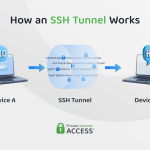
Before we dissect the specifics of free Chrome VPNs, it’s imperative to grasp the fundamental concept of a VPN itself. At its core, a VPN creates a secure, encrypted tunnel between your device and a remote server operated by the VPN service provider. All your internet traffic is routed through this tunnel, effectively masking your original IP address and encrypting your data. This process serves multiple critical functions:
- IP Address Masking: Your true IP address, which can reveal your geographical location and identify your internet service provider (ISP), is replaced with the IP address of the VPN server. This makes it significantly harder for websites, advertisers, and even your ISP to track your online activities directly back to you.
- Data Encryption: The data traveling through the VPN tunnel is encrypted, rendering it unreadable to snoopers, hackers, or government agencies, even if they manage to intercept it. This is particularly crucial when connecting to unsecured public Wi-Fi networks.
- Geo-unblocking: By connecting to a server in a different country, you can appear to be browsing from that location, thereby gaining access to region-restricted content, services, or websites that would otherwise be unavailable in your actual geographical area.
When we talk about a free VPN online for Chrome, we are typically referring to a browser extension that integrates directly into your Chrome browser. Unlike a full-fledged VPN application that secures all internet traffic from your device, a Chrome VPN extension primarily secures only the traffic originating from that specific browser. This distinction is vital and often misunderstood by users seeking comprehensive internet security.
The Allure of Free VPN Chrome Extensions: Convenience and Accessibility
The magnetic appeal of free VPN extensions for Chrome is multifaceted, primarily revolving around their unparalleled convenience and accessibility. For many, the idea of enhancing their online privacy or bypassing geo-restrictions without incurring any cost is incredibly enticing. Here’s why they’ve become so popular:
- Zero Cost: This is, without a doubt, the primary draw. Users can access basic VPN functionalities without any financial commitment, making it an attractive option for those on a tight budget or those who only need a VPN occasionally.
- Ease of Installation and Use: Chrome VPN extensions are incredibly simple to install. A few clicks in the Chrome Web Store, and you’re ready to go. Activating or deactivating the VPN is usually as simple as clicking an icon in your browser toolbar. This low barrier to entry makes them highly accessible to users of all technical proficiencies.
- Browser-Specific Protection: For users who only need to secure their browsing activities within Chrome and not their entire device’s internet traffic, a browser extension offers a lightweight and focused solution. This can be beneficial for those who want to isolate certain activities or conserve system resources.
- Quick Geo-Unblocking: Need to quickly access a news article or a video that’s blocked in your region? A free Chrome VPN can often provide an instant solution, allowing you to switch virtual locations with minimal fuss. This offers a sense of internet freedom that is highly valued.
How Free VPN Online for Chrome Extensions Work: A Technical Glance
A free VPN online for Chrome extension typically functions as a proxy that routes your browser’s traffic through a remote server. While sometimes referred to as a “VPN,” many free browser extensions operate more akin to a secure proxy. Here’s a simplified breakdown:
- Installation: You download and install the extension from the Chrome Web Store. It integrates directly into your browser.
- Activation: Once activated, the extension intercepts your browser’s outgoing requests.
- Traffic Redirection: Instead of sending your requests directly to the target website, the extension encrypts them (to varying degrees, depending on the service) and sends them to the VPN provider’s server.
- IP Masking: The VPN server then forwards your request to the target website using its own IP address. The website sees the VPN server’s IP, not yours.
- Data Return: The website’s response is sent back to the VPN server, which then decrypts it (if necessary) and forwards it securely to your Chrome browser.
It’s crucial to distinguish between a browser-based VPN extension and a full desktop VPN client. A desktop client encrypts all internet traffic from your device, including applications outside the browser (e.g., email clients, gaming platforms, torrent clients). A Chrome extension, however, only protects what happens within that specific browser window. This means other applications on your computer remain exposed, a significant consideration for comprehensive cybersecurity threats mitigation.
The Manifold Benefits: Unveiling the Advantages of a Free Chrome VPN
Despite the inherent limitations, the advantages offered by a well-chosen free VPN online for Chrome can be quite compelling for specific use cases. Understanding these benefits helps contextualize their utility:
1. Accessing Geo-restricted Content and Bypassing Censorship
One of the most widely sought-after benefits is the ability to circumvent geographical restrictions. Whether it’s streaming services, international news portals, or online games available only in certain regions, a Chrome VPN can virtually transport you to another country. This is invaluable for travelers wanting to access their home country’s services or for users in regions with strict internet censorship seeking access to a free and open internet. It’s a powerful tool for promoting internet freedom and accessing diverse content.
2. Enhanced Privacy and IP Address Masking
While not as robust as a premium VPN, a free Chrome extension still offers a layer of privacy by masking your real IP address. This makes it harder for websites and online advertisers to track your browsing habits and build detailed profiles about you. For casual browsing, this can significantly reduce your digital footprint and offer a sense of anonymity, protecting you from targeted ads and data collection efforts.
3. Security on Public Wi-Fi Networks
Public Wi-Fi hotspots, found in cafes, airports, and libraries, are notorious for their lack of security. They are often vulnerable to eavesdropping and Man-in-the-Middle attacks, where malicious actors can intercept your data. A free Chrome VPN, by encrypting your browser’s traffic, provides a crucial layer of defense against these threats. Even if the encryption isn’t top-tier, it’s significantly better than no encryption at all when dealing with sensitive information like login credentials or personal data over unsecured networks. This is a key aspect of public Wi-Fi safety.
4. Cost-Effectiveness and Trial Opportunities
The most obvious benefit is the absence of a subscription fee. For users who only require occasional VPN use or are simply exploring the concept of VPNs, a free Chrome extension serves as an excellent entry point. It allows them to experience basic VPN functionalities without any financial commitment, potentially guiding them towards a paid service if their needs evolve. It’s a risk-free way to test the waters of online privacy tools.
The Hidden Costs and Risks: Unmasking the Drawbacks of Free Chrome VPNs
While the benefits are appealing, it’s paramount to approach free VPN online for Chrome services with a discerning eye. The adage “if you’re not paying for the product, you are the product” often rings true in this domain. Many free services come with significant caveats and potential dangers that can undermine the very privacy and security they promise. This section provides immense depth into these critical concerns.
1. Data Logging and Selling: Your Privacy for Profit
This is arguably the most significant concern. Operating a VPN service, even a basic one, costs money (servers, bandwidth, maintenance). If a service is free, how does it sustain itself? Often, the answer lies in monetizing user data. Many free VPNs collect extensive logs of your online activities, including websites visited, timestamps, IP addresses, and even personal information. This data can then be sold to third-party advertisers, data brokers, or other entities, directly contradicting the core purpose of a VPN. Always scrutinize the privacy policy of any free VPN; if it’s vague or non-existent, proceed with extreme caution.
2. Limited Bandwidth and Speed Throttling: A Frustrating Experience
Free VPNs typically offer a fraction of the performance of their paid counterparts. They often impose strict bandwidth limits (e.g., 500MB or 1GB per day/month) and aggressively throttle connection speeds. This makes activities like streaming high-definition video, large file downloads, or even general browsing excruciatingly slow and frustrating. The limited server locations also contribute to slower speeds due to increased user load on fewer servers.
3. Intrusive Ads and Malware Risks: A Compromised Browser
Another common monetization strategy for free VPNs is injecting advertisements into your browser sessions, even on websites that normally don’t display them. These ads can be highly intrusive, disruptive, and sometimes even lead to malicious websites. Worse still, some free VPN extensions have been found to contain malware, spyware, or adware, turning your browser into a conduit for security breaches and compromising your entire system. This poses a serious cybersecurity threats risk.
4. Weaker Encryption Standards and Vulnerability to Attacks
To cut costs and accommodate more users, free VPNs often employ weaker or outdated encryption protocols. This makes your data more susceptible to interception and decryption by skilled adversaries. Compared to the industry-standard AES-256 encryption used by premium services, weaker encryption offers a false sense of security, especially when dealing with sensitive information. Furthermore, many free VPNs lack advanced security features like a kill switch (which disconnects your internet if the VPN drops) or DNS leak protection, potentially exposing your real IP address through IP leaks.
5. Fewer Server Locations and Overcrowding
Free services typically offer a very limited selection of server locations compared to paid VPNs. This restricts your options for geo-unblocking and can lead to severe overcrowding on the available servers. Overcrowding translates directly to slower speeds, increased latency, and unreliable connections. The lack of diverse server locations also means less flexibility for users.
6. Poor or Non-Existent Customer Support
When you encounter issues with a free VPN, expect little to no dedicated customer support. Troubleshooting guides are often sparse, and direct assistance is typically reserved for paying customers. This can leave users stranded with technical difficulties, making the “free” service more of a hindrance than a help.
7. Jurisdiction Concerns and Legal Implications
The location of the VPN provider’s headquarters matters significantly. Some countries have data retention laws or are part of intelligence-sharing alliances (like the 5/9/14-Eyes Alliance), which could compel VPN providers to log and share user data with authorities, even if they claim a “no-log policy.” Free VPNs, often operating with less transparency, might be headquartered in jurisdictions with questionable privacy regulations, further compromising your online privacy.
Key Features to Look for in a Free Chrome VPN (If You Must Use One)
If, after weighing the risks, you still decide to use a free VPN online for Chrome, it’s crucial to be highly selective. Look for services that exhibit at least some commitment to user privacy and security. Here are essential features to prioritize:
- Transparent No-Log Policy: Scrutinize their privacy policy for a clear, explicit commitment to not log your internet activity. Be wary of vague language or policies that are hard to find.
- Basic but Strong Encryption: While full AES-256 might be rare, ensure they use at least decent encryption standards to protect your data, even if it’s just for browser traffic.
- Reputable Provider: Choose services from established companies that also offer paid VPNs. These “freemium” models often provide a limited but genuinely secure free tier to entice users to upgrade.
- Limited but Usable Server Locations: While you won’t get a vast network, ensure they offer at least a few stable server locations relevant to your needs.
- Absence of Intrusive Ads: A truly privacy-focused free VPN should not inject ads into your browsing experience.
- User-Friendly Interface: It should be easy to connect, disconnect, and switch servers without hassle.
- Positive User Reviews: Check the Chrome Web Store reviews, but also look for independent reviews and audits where available.
Top Considerations When Choosing a Free VPN for Chrome
Making an informed choice requires a careful evaluation of several factors:
Reputation and Trustworthiness
A VPN’s reputation is paramount. Research the company behind the free extension. How long have they been in business? Do they have a track record of security breaches or privacy violations? Look for independent audits of their no-log claims, though these are rare for free services. User reviews on the Chrome Web Store can offer initial insights, but always cross-reference with broader cybersecurity reviews.
Privacy Policy Scrutiny
This cannot be overstated. Read the privacy policy carefully. What data do they collect? How long do they store it? Do they share it with third parties? If the policy is unclear, too long, or seems to contradict the idea of privacy, it’s a red flag. A truly privacy-respecting VPN will be transparent about its data handling practices.
Performance Expectations
Set realistic expectations. A free VPN will almost certainly not provide the blazing fast speeds or unlimited bandwidth of a paid service. Expect some level of speed throttling and occasional disconnections. If your needs involve heavy streaming or large downloads, a free option will likely disappoint.
Understanding Limitations: Browser vs. System-Wide
Remember that a Chrome extension only protects your browser traffic. Any other applications on your computer (e.g., email clients, torrent software, gaming apps) will not be protected by the VPN. For comprehensive device-wide security, a full desktop VPN application is necessary. This fundamental difference is crucial for effective digital privacy tools usage.
Alternative: Freemium Models and Trial Periods – A Safer Bet
For those genuinely concerned about online privacy and security but still budget-conscious, exploring freemium VPNs or paid services with free trial periods is often a much safer and more reliable alternative to entirely free, standalone VPNs. These models offer a glimpse into the quality of a premium service without the long-term commitment or the egregious privacy risks associated with purely free options.
- Freemium VPNs: Many reputable VPN providers offer a free tier with limited features (e.g., fewer server locations, data caps, slower speeds) as a way to attract users. While restricted, these free tiers often adhere to the same strong security protocols and no-log policies as their paid counterparts, ensuring a baseline of trust and protection. They are designed to showcase the service’s quality, not to monetize user data.
- Free Trial Periods: Most premium VPN services offer a risk-free trial, typically ranging from 7 to 30 days, often backed by a money-back guarantee. This allows you to experience the full suite of features, including unlimited bandwidth, numerous server locations, and top-tier encryption, without any upfront cost for a limited time. If you’re not satisfied, you can cancel and get a full refund. This is an excellent way to test a service thoroughly before committing.
When is a Free VPN for Chrome Acceptable?
Given the array of risks, a free VPN online for Chrome should be used with extreme caution and only under very specific circumstances:
- Occasional, Non-Sensitive Browsing: If you only need to quickly access a geo-blocked article or browse a non-sensitive website occasionally, a free VPN might suffice.
- Testing VPN Functionality: For users new to VPNs who want to understand how they work before investing in a paid service.
- Temporary Public Wi-Fi Protection (with caution): For very brief sessions on public Wi-Fi where you are not accessing sensitive accounts or performing critical tasks. Even then, assume a basic level of protection, not robust security.
Never use a free VPN for online banking, shopping with credit card details, accessing work-related sensitive documents, or any activity where your personal data could be compromised. For these tasks, a premium, trusted VPN is non-negotiable.
General Installation Guide for Chrome VPN Extensions
Installing a Chrome VPN extension is straightforward:
- Open Chrome Web Store: Navigate to the Chrome Web Store in your browser.
- Search for the VPN: Use the search bar to find the specific free VPN extension you’ve chosen (e.g., “Proton VPN Free,” “Windscribe Free”).
- Add to Chrome: Click the “Add to Chrome” button next to the extension.
- Confirm Installation: A pop-up will appear asking for permissions. Review them carefully and click “Add extension.”
- Pin to Toolbar (Optional): Once installed, the extension icon will appear in your browser toolbar. You can click the puzzle piece icon and then the pin icon to keep it visible for easy access.
- Configure and Connect: Click the VPN icon, sign up/log in (if required), choose a server location (if options are available), and click “Connect.”
Best Practices for Using Any VPN (Free or Paid)
To maximize your online privacy and security, regardless of the VPN type you choose, adopt these best practices:
- Verify Your Connection: After connecting to a VPN, always visit a site like “whatismyip.com” to confirm that your IP address has changed to the VPN server’s IP and that there are no DNS leaks.
- Clear Browser Data: Regularly clear your browser’s cookies, cache, and history. This helps prevent websites from tracking you even when using a VPN.
- Use HTTPS: Always ensure you are browsing on websites that use HTTPS (indicated by a padlock icon in the address bar). HTTPS encrypts the connection between your browser and the website, adding another layer of security even if your VPN connection were to drop.
- Be Mindful of Permissions: When installing any browser extension, carefully review the permissions it requests. If a simple VPN extension asks for access to all your data on all websites, it’s a red flag.
- Stay Updated: Keep your Chrome browser and all extensions, including your VPN, updated to the latest versions. Updates often include critical security patches.
- Understand the Scope: Always remember that a Chrome VPN extension only protects your browser traffic. For total device protection, a full VPN application is required.
Conclusion: Navigating the Digital Frontier with Prudence
The appeal of a free VPN online for Chrome is undeniable, offering a seemingly effortless path to enhanced online privacy and unrestricted internet access. For casual, non-sensitive browsing or for those taking their first steps into the world of VPNs, these extensions can offer a basic level of utility. They promise a quick fix for geo-blocks and a superficial layer of anonymity, contributing to a sense of internet freedom.
However, the digital landscape is fraught with complexities, and the “free” label often comes with a hefty, albeit hidden, price. The potential for data logging, speed limitations, intrusive ads, weaker security, and a compromised user experience are significant drawbacks that demand careful consideration. The risks associated with some free VPNs, particularly those with opaque privacy policies or dubious business models, can far outweigh the perceived benefits, potentially exposing your personal data to exploitation and undermining your overall internet security.
Ultimately, the decision to use a free Chrome VPN extension rests with the individual. We strongly advocate for an informed and cautious approach. Prioritize your digital privacy by thoroughly researching any service you consider, scrutinizing its privacy policy, and understanding its inherent limitations. For robust, reliable, and truly private internet access, especially for sensitive activities, investing in a reputable, paid VPN service or opting for a freemium model from a trusted provider remains the unequivocally superior choice. In the realm of cybersecurity, true peace of mind often comes with a justifiable investment, ensuring your online journey is genuinely secure, private, and free.
Frequently Asked Questions About Free VPN Online for Chrome
Q1: Are free VPN online for Chrome extensions safe to use?
A1: The safety of free VPN Chrome extensions varies significantly. While some reputable providers offer limited free tiers that are generally safe (though restricted), many purely free services carry substantial risks. These risks include data logging and selling, intrusive ads, potential malware, weaker encryption, and IP leaks. It’s crucial to research the provider thoroughly, read their privacy policy, and understand that “free” often comes with hidden costs to your privacy and security. For sensitive activities, they are generally not recommended.
Q2: How do free Chrome VPN extensions make money if they are free?
A2: Free VPNs typically monetize their services through various means:
- Data Logging and Selling: Collecting and selling user data (browsing habits, IP addresses, etc.) to third-party advertisers or data brokers.
- Injecting Ads: Displaying intrusive advertisements within your browser, even on websites that don’t normally show them.
- Bandwidth Selling: Some free VPNs use a peer-to-peer model where your idle bandwidth is sold to other users, turning your device into an exit node.
- Freemium Model: Offering a basic, limited free service to entice users to upgrade to a paid, full-featured version.
- Malware/Adware: Some less scrupulous services may bundle their extensions with malware or adware.
Always be skeptical of truly “free” services in the cybersecurity space.
Q3: What is the difference between a Chrome VPN extension and a full VPN application?
A3: A Chrome VPN extension only encrypts and routes the internet traffic that goes through your Google Chrome browser. Any other applications on your computer (e.g., email clients, torrent software, other browsers, games) will not be protected by the VPN. A full VPN application (desktop client) secures all internet traffic originating from your entire device, providing comprehensive protection across all applications and browsers.
Q4: Can a free Chrome VPN unblock streaming services like Netflix or Hulu?
A4: While some free Chrome VPNs might occasionally unblock certain streaming services, it’s generally unreliable. Streaming platforms actively detect and block VPN IP addresses, especially those from free services which are often overcrowded and easily identifiable. Free VPNs also typically suffer from severe speed throttling and bandwidth limits, making high-quality streaming impractical. For consistent and reliable access to geo-restricted streaming content, a premium VPN service is almost always required.
Q5: What should I look for in a free VPN online for Chrome to ensure some level of privacy?
A5: If you must use a free Chrome VPN, prioritize these features:
- A clear and transparent no-log policy.
- Reputation of the provider (preferably a freemium model from a known company).
- Absence of intrusive ads within your browsing.
- Decent encryption standards (even if not AES-256).
- Positive, independent reviews (not just Chrome Web Store ratings).
- Limited but stable server locations.
Remember, even with these, the level of privacy will likely be inferior to a paid service.
Q6: Are there any free VPN online for Chrome extensions that are generally considered more trustworthy?
A6: Some reputable VPN providers offer free Chrome extensions as part of their freemium model. Examples often include limited versions of Proton VPN Free, Windscribe Free, or TunnelBear Free. These services typically adhere to stricter no-log policies and use better encryption than generic free VPNs, though they come with significant limitations on data, speed, or server choices. They are generally considered safer starting points for basic needs.
Q7: Can a free Chrome VPN protect me on public Wi-Fi?
A7: A free Chrome VPN can offer a basic layer of protection by encrypting your browser’s traffic on public Wi-Fi networks. This makes it harder for casual snoopers to intercept your data. However, due to potentially weaker encryption, lack of a kill switch, and other security vulnerabilities common in free services, it’s not as robust as a premium VPN. For truly secure transactions or sensitive browsing on public Wi-Fi, a full, paid VPN application is highly recommended.
Q8: Will a free VPN online for Chrome slow down my internet speed?
A8: