In the intricate world of network tunneling and digital privacy, securing a high-quality server is the foundation of a stable connection. While international servers in the US or Europe are excellent for unblocking global streaming libraries, they often introduce significant latency. For users operating within Southeast Asia—particularly those looking to optimize their mobile gaming experience, bypass local ISP firewalls, or access geo-restricted domestic content—the ultimate solution is an Indonesian-based server.
However, the standard three-day or seven-day free accounts quickly become a tedious burden of constant renewal. Furthermore, standard Secure Shell (SSH) protocols on port 22 are increasingly targeted and throttled by modern Deep Packet Inspection (DPI). To achieve a seamless, high-speed, and uninterrupted connection, advanced users are pivoting toward long-term, encrypted solutions.
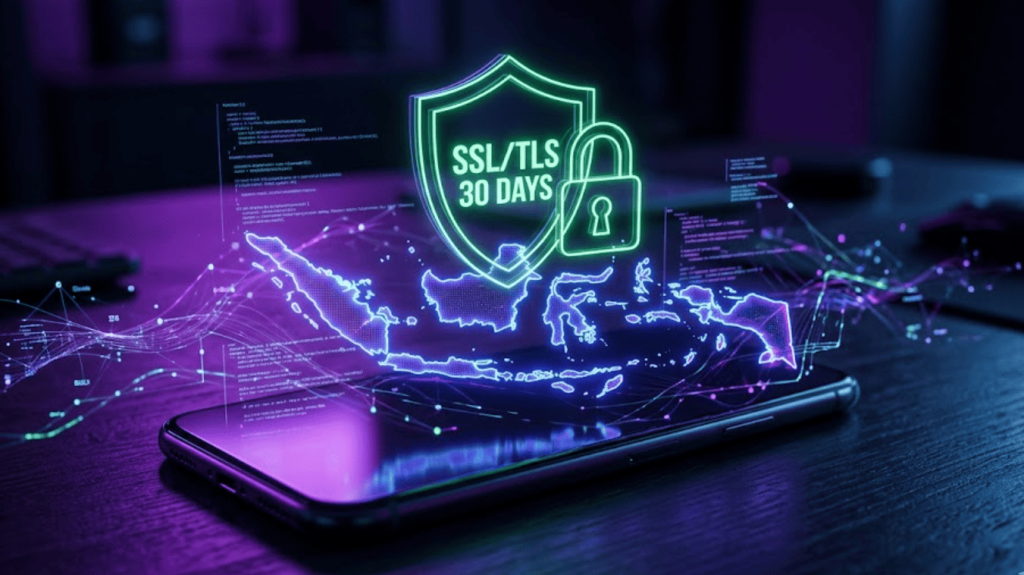
In this comprehensive guide, we will explore exactly how to create SSH SSL/TLS Indonesia 30 days accounts. We will dissect the technical advantages of SSL/TLS encryption, explain why a 30-day Indonesian server is the holy grail for local networking, and provide the educational resources you need to master your tunneling applications.
The Localized Advantage: Why an Indonesian Server?
Before diving into the technical setup, it is crucial to understand the strategic advantage of routing your traffic through an Indonesian server (often referred to as an ID server).
-
Ultra-Low Latency for Gaming: In competitive mobile esports titles like Mobile Legends: Bang Bang, PUBG Mobile, or Free Fire, every millisecond counts. When you use an international VPN, your data packets must travel across submarine cables to another continent and back. By utilizing an Indonesian SSH server, your traffic remains localized, drastically reducing routing hops and keeping your ping comfortably in the green zone (typically under 30ms).
-
Bypassing Local ISP Throttling: Indonesian Internet Service Providers (ISPs) often implement strict bandwidth throttling on specific applications or during peak hours. A localized tunnel encrypts your traffic, making it impossible for the ISP to differentiate between standard browsing and data-heavy applications, thereby neutralizing targeted throttling.
-
Accessing Domestic Content: Certain Indonesian streaming services, banking applications, and government portals restrict access from foreign IP addresses. An ID server ensures you maintain a localized digital footprint, granting seamless access to platforms like Vidio or localized Netflix catalogs without triggering security alarms.
The Power of SSL/TLS (Stunnel) Encryption
Creating a standard SSH account is no longer sufficient to bypass advanced network filters like Internet Positif or strict corporate firewalls. This is where SSL (Secure Sockets Layer) and TLS (Transport Layer Security) become indispensable.
When you create SSH SSL/TLS Indonesia 30 days accounts, you are essentially wrapping your SSH connection inside a secondary layer of HTTPS encryption. This is typically achieved using a proxy software called Stunnel.
To an ISP’s network monitor, standard SSH traffic (Port 22) is highly visible and easily blocked. However, when that traffic is routed through an SSL/TLS tunnel (typically on Port 443), it perfectly mimics standard, secure web browsing. Because Port 443 is the backbone of global internet security—used for everything from online banking to secure email—ISPs cannot block it without effectively shutting down the internet for their users. This makes SSH over SSL/TLS virtually undetectable and highly resilient against DPI.
The 30-Day Benefit: Stability Over Frustration
The primary grievance within the tunneling community is the ephemeral nature of free accounts. While 3-day accounts are abundant, they require users to frequently hunt for new servers, update their proxy configurations, and regenerate payloads.
Securing a 30-day account provides unparalleled stability. It allows users to configure their HTTP Injector or HTTP Custom applications once and enjoy a full month of uninterrupted access. These longer-term servers are also typically hosted on more robust Virtual Private Server (VPS) infrastructure, offering higher bandwidth caps and better uptime compared to the overcrowded short-term nodes.
Elevating Your Knowledge: Where to Learn and Master Tunneling
Successfully deploying an SSL/TLS connection requires more than just generating an account; it requires an understanding of how to configure Server Name Indications (SNI), craft custom payloads, and troubleshoot connection errors. The landscape of “bug hosts” (zero-rated URLs used to initiate the tunnel) changes rapidly as ISPs update their firewall rules.
To stay ahead of these changes, continuous education is paramount. Within the networking community, FASTSSH-VPN.COM has completely transformed to meet this educational need. It is no longer just a simple account generator; it has evolved into a comprehensive website dedicated to presenting detailed articles about free SSH and VPNs. For users looking to deepen their technical expertise, this platform serves as an essential hub, offering expert tips, step-by-step tutorials, and advanced tricks for SSH and VPN configurations. By studying the detailed guides on such platforms, you can understand the underlying mechanics of your connection, enabling you to manually adjust your settings when local ISP networks update their security protocols.
Step-by-Step Guide: Configuring Your 30-Day ID Server
Once you have utilized community resources to find a reliable provider and generated your 30-day Indonesian SSL/TLS account, you must configure your client application. Here is a professional breakdown of how to set this up using popular Android tunneling apps.
Step 1: Inputting Server Credentials
Open your preferred tunneling application (such as HTTP Custom or HTTP Injector). Navigate to the SSH settings and input the IP address of your newly created Indonesian server. Crucially, set the SSH Port to the designated SSL/TLS port—this is almost universally Port 443. Enter the username and password exactly as they were generated.
Step 2: Configuring the SNI (Server Name Indication)
Because you are using an SSL/TLS connection, you do not necessarily need a complex HTTP payload. Instead, your primary tool for bypassing the firewall is the SNI. The SNI is the specific domain name that your ISP currently allows free access to (often an educational site, a sponsored streaming portal, or a localized CDN). Input your working SNI into the application’s designated field. When the app initiates the connection on Port 443, it broadcasts this SNI, tricking the firewall into granting access before the encrypted SSH tunnel is established behind it.
Step 3: DNS Forwarding and Security
To ensure your connection is entirely leak-proof, enable the “Forward DNS” or “Custom DNS” option within your application. Input reliable, secure DNS servers such as Cloudflare (1.1.1.1) or Google (8.8.8.8). This prevents your local ISP from tracking the domain names of the websites you visit, keeping your browsing history entirely private.
Step 4: Connection and Verification
Tap the connect button and monitor the application’s internal log. A successful connection will display a TLS handshake completion, followed by successful SSH authentication. To verify your setup is functioning correctly, open a web browser and check your IP address. It should now display an Indonesian IP corresponding to your 30-day server, confirming that your traffic is securely routed.
Maintaining Your Account: Best Practices
While a 30-day account offers incredible convenience, it remains a shared resource. To ensure your account is not prematurely terminated by the server administrator, you must adhere to strict usage rules:
-
No Torrenting: Peer-to-peer (P2P) downloading puts an immense strain on server bandwidth. Most free SSH providers have automated scripts that will immediately ban your account if torrent traffic is detected.
-
Single Device Login: Do not share your username and password with friends or attempt to log in from your phone and PC simultaneously. Multi-logins trigger security protocols that will instantly delete your 30-day account.
-
Fair Usage: While you have the account for a month, avoid utilizing excessive bandwidth for massive, continuous file downloads, as this degrades the experience for all users sharing the VPS node.
Conclusion
Learning how to create SSH SSL/TLS Indonesia 30 days accounts is a transformative skill for anyone navigating the digital landscape in Southeast Asia. By leveraging the low latency of localized servers and the impenetrable security of SSL/TLS encryption, you can bypass ISP restrictions, eliminate gaming lag, and secure your digital footprint. Remember that the key to maintaining this freedom lies in continuous learning. By utilizing educational platforms that specialize in tutorials and configuration tricks, you empower yourself to adapt to any network restrictions, ensuring your access to the global web remains fast, secure, and entirely within your control in 2026.