The VPN Paradox: Unpacking the Relationship Between Privacy, Security, and Internet Speed
In an increasingly interconnected digital world, the virtual private network (VPN) has emerged as a cornerstone technology for safeguarding online privacy and enhancing security. Millions worldwide rely on VPNs to encrypt their internet traffic, mask their IP addresses, and bypass geographical restrictions, thereby enjoying a more secure and unfettered online experience. However, a pervasive question often accompanies the decision to adopt a VPN: “Does using a VPN slow down internet speed?” This isn’t merely a casual query; it’s a critical consideration for anyone who values both their digital freedom and the seamless performance of their online activities, from high-definition streaming to competitive online gaming.
The short answer, as with many complex technological phenomena, is nuanced: yes, a VPN can slow down your internet speed, but not always significantly, and the degree of impact varies wildly depending on a multitude of factors. Understanding these underlying mechanisms is crucial to demystifying the VPN paradox and making informed choices about your online security infrastructure. This comprehensive exploration will delve deep into the technical intricacies, practical implications, and actionable strategies related to VPN performance, providing an advanced-level perspective that is both articulate and incredibly easy to digest. We aim to equip you with the knowledge to not only understand internet speed reduction when using a VPN but also to optimize your setup for the best possible balance between speed, security, and privacy.
The Technical Underpinnings: Why VPNs Can Reduce Speed
To grasp why a VPN might introduce latency or reduce your overall bandwidth, we must first understand how it operates. When you connect to a VPN, your internet traffic is no longer sent directly from your device to its destination. Instead, it’s rerouted through an encrypted tunnel to a remote VPN server before reaching its final destination. This additional journey, while vital for security, inherently introduces several potential bottlenecks.
1. Encryption Overhead: The Cost of Security
At the heart of a VPN’s security capabilities lies encryption. Every piece of data you send or receive through a VPN tunnel is encrypted and then decrypted. This process, while essential for protecting your privacy from prying eyes (like your ISP, government agencies, or malicious actors), requires computational resources. Your device must encrypt the data, and the VPN server must decrypt it. This “encryption overhead” consumes processing power and adds a small amount of time to the data transmission process.
The strength of the encryption algorithm (e.g., AES-256 vs. AES-128) and the chosen VPN protocols (like OpenVPN, WireGuard, IKEv2) play a significant role here. Stronger encryption offers greater security but demands more processing, potentially leading to a more noticeable slowdown. Modern VPN protocols are highly optimized, but the overhead is an unavoidable component of a secure connection.
2. Geographical Distance to the VPN Server (Latency and Ping)
Perhaps the most intuitive reason for a speed reduction is the physical distance your data has to travel. When you connect to a VPN server, your data is routed to that server, potentially thousands of miles away, before being sent to its ultimate destination. This extended physical journey directly impacts latency, often measured in milliseconds (ms) as “ping.”
* Latency (Ping): This is the time it takes for a data packet to travel from your device to the server and back. Higher latency means a less responsive connection, which is particularly detrimental for real-time applications like online gaming or video conferencing. If you’re in New York and connect to a server in London, your data packets must traverse the Atlantic twice – once to the VPN server, and once from the VPN server to the destination, and then the return journey. This significantly increases the round-trip time compared to a direct connection.
* Download and Upload Speed: While latency primarily affects responsiveness, extreme geographical distance can also impact raw download and upload speeds, as data has more hops to make and more physical distance to cover, increasing the chances of signal degradation or congestion along the route.
3. VPN Server Load and Infrastructure
The quality and capacity of the VPN server you connect to are paramount. A VPN provider typically maintains a vast network of servers globally. However, these servers are not infinite in their capacity.
* Server Load: If a particular VPN server is experiencing high traffic volume due to too many users connected simultaneously, its resources (bandwidth, CPU) can become strained. This congestion acts like a traffic jam on a highway, slowing down all connected users. High server load is a common culprit behind unexpected speed drops, especially during peak usage hours.
* Server Infrastructure: The hardware quality, network bandwidth, and overall infrastructure of the VPN provider’s servers directly influence performance. Premium VPN services invest heavily in high-speed, well-maintained servers with ample bandwidth, minimizing slowdowns. Free VPNs, conversely, often operate on limited resources, leading to notoriously slow speeds and unreliable connections.
4. VPN Protocol Choice: A Balancing Act
Different VPN protocols offer varying balances of speed, security, and reliability.
* OpenVPN: Highly secure and versatile, but can be slower due to its heavy encryption and overhead, especially when configured with UDP for speed or TCP for reliability.
* IKEv2/IPsec: Often faster than OpenVPN, especially on mobile devices, known for its stability and ability to re-establish connections quickly.
* L2TP/IPsec: Generally slower than OpenVPN and IKEv2 due to double encapsulation, and its security has been questioned.
* PPTP: Very fast but considered insecure and should be avoided for serious privacy.
* WireGuard: A newer protocol gaining rapid popularity for its significantly smaller codebase, making it faster, more efficient, and often more secure than older protocols. Many leading VPN providers now offer WireGuard, and it often provides the best balance of speed and security.
Your choice of protocol can have a substantial impact on your actual VPN performance.
5. Your Own Internet Connection and ISP Throttling
It’s crucial to remember that a VPN cannot magically make your internet faster than your base connection speed. If you have a slow internet plan to begin with, a VPN will only operate within those limitations, and likely introduce some additional overhead.
Interestingly, while VPNs usually introduce a slight slowdown, they can sometimes *improve* perceived speed by circumventing ISP bandwidth throttling. Some Internet Service Providers (ISPs) intentionally slow down certain types of traffic (e.g., video streaming, torrenting) to manage network congestion or push users towards higher-tier plans. Since a VPN encrypts your traffic, your ISP cannot see its contents and therefore cannot selectively throttle it based on activity. In such specific scenarios, a VPN might prevent your ISP from slowing you down, making your connection *feel* faster than it would otherwise.
Factors Influencing VPN Speed: A Deeper Dive
To truly understand the dynamics of internet speed reduction with a VPN, it’s helpful to categorize the various elements at play. These factors interact in complex ways, leading to the wide range of experiences users report.
1. Your Base Internet Speed
This is the fundamental starting point. A VPN can only work with the bandwidth provided by your Internet Service Provider. If you have a 10 Mbps connection, even the fastest VPN will not deliver 100 Mbps. The percentage of speed loss due to a VPN is often more pronounced on slower connections, where a 10-20% drop feels much more significant than on a super-fast fiber connection.
2. VPN Server Location and Proximity
As discussed, the physical distance between you and the VPN server is a primary determinant of latency. Always aim to connect to a server geographically close to you, unless you have a specific reason (like geo-unblocking content) to connect to a distant one. A server in your own country or a neighboring one will almost always yield better speeds than one across an ocean.
3. Server Load and Bandwidth Availability
The number of users concurrently connected to a single server and the total bandwidth allocated to that server by the VPN provider are critical. High user density on a server can lead to congestion, dramatically slowing down speeds for everyone connected. Reputable VPN providers monitor server loads and offer tools or recommendations to connect to less congested servers. They also invest in high-capacity servers to handle peak demand.
4. Encryption Strength and Protocol Choice
The cryptographic algorithms used (e.g., AES-256 GCM) and the chosen VPN protocol (WireGuard, OpenVPN, IKEv2) directly impact the computational overhead. While AES-256 GCM is the industry standard for strong security, some protocols are simply more efficient at handling it. WireGuard, for instance, is celebrated for its lean codebase and modern cryptographic primitives, often resulting in superior speeds compared to OpenVPN, without sacrificing security.
5. VPN Provider Infrastructure and Quality
Not all VPNs are created equal. Premium, paid VPN services typically offer:
- A larger network of servers in diverse locations.
- High-speed, dedicated servers with ample bandwidth.
- Optimized software clients that efficiently manage connections.
- Advanced features like obfuscation (to bypass strict firewalls) and split tunneling.
- Robust customer support.
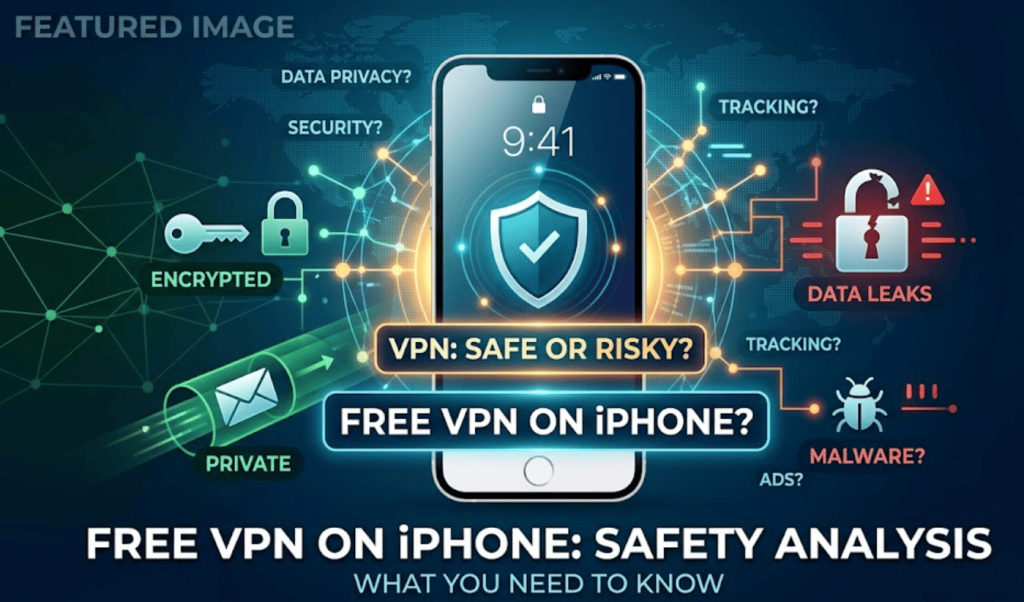
Free VPNs, on the other hand, often cut corners, leading to fewer servers, higher congestion, weaker encryption, and overall poorer performance. Their business models might also be questionable, potentially compromising the very privacy they claim to offer.
6. Device Performance and Operating System
The processing power of your device (laptop, smartphone, router) can also influence VPN speed. Older or less powerful CPUs might struggle with the encryption/decryption process, especially with demanding protocols like OpenVPN, leading to a noticeable slowdown. Similarly, the VPN client’s efficiency and how well it integrates with your operating system can play a role.
7. Network Congestion (Local and Global)
Beyond the VPN server itself, general internet congestion along the data path can affect speeds. This could be local congestion on your home network (e.g., multiple devices streaming simultaneously) or broader internet backbone congestion, which is largely outside your control. While a VPN can sometimes help bypass localized ISP congestion, it cannot magically clear up global internet traffic jams.
Measuring the Impact: How to Test Your VPN Speed
To accurately assess how a VPN affects your internet speed, a systematic approach to testing is essential. This involves establishing a baseline and then comparing it against VPN-enabled speeds.
Step 1: Establish Your Baseline Speed (Without VPN)
Before connecting to any VPN server, perform a speed test to determine your raw, unadulterated internet speed. Use reliable speed test websites like Speedtest.net, Fast.com, or Google’s own speed test. Run the test several times at different intervals to get an average, as speeds can fluctuate throughout the day. Note down three key metrics:
- Download Speed: How quickly your device can retrieve data from the internet (e.g., for streaming, downloading files).
- Upload Speed: How quickly your device can send data to the internet (e.g., for uploading files, video calls).
- Ping (Latency): The time it takes for a small data packet to travel from your device to a server and back. Lower ping is better, especially for gaming.
Step 2: Test Your Speed With VPN Connected
Now, connect to your chosen VPN server. For a comprehensive comparison, test with different server locations (e.g., closest server, a server in a different country) and potentially different protocols if your VPN client allows it. After connecting:
- Ensure your VPN is active and correctly connected.
- Go to the same speed test website you used for your baseline.
- Run the speed test again, noting down the download speed, upload speed, and ping.
Step 3: Interpret the Results
Compare the VPN-enabled speeds to your baseline. A typical and acceptable speed reduction with a good VPN provider is often in the range of 10-20% for download/upload speeds and a modest increase in ping (e.g., 10-50ms, depending on server distance). If you experience a drastic drop (e.g., 50% or more) or extremely high ping, it suggests an issue with the VPN server, your configuration, or the provider itself.
Remember that the “acceptable” speed loss depends on your usage. For casual browsing, a significant drop might be tolerable. For 4K streaming or competitive online gaming, even a small reduction in speed or an increase in ping can be noticeable and frustrating.
Strategies to Mitigate VPN Speed Loss: Optimizing Your Experience
While some degree of speed reduction is an inherent trade-off for the enhanced security and privacy a VPN offers, there are numerous strategies you can employ to minimize its impact and optimize your connection.
1. Choose a Reputable VPN Provider
This is arguably the most critical step. Premium VPN services invest heavily in high-speed servers, robust infrastructure, and optimized software. They offer a larger selection of servers, reducing congestion, and often implement cutting-edge protocols like WireGuard. Avoid free VPNs if speed and reliability are priorities, as they often come with severe limitations and potential privacy risks.
2. Select the Closest Server
As established, geographical distance is a major factor in latency. Always try to connect to a VPN server that is physically closest to your location unless you need to bypass geo-restrictions in a specific region. Many VPN clients have a “Quick Connect” or “Best Server” option that automatically selects the optimal server for speed.
3. Experiment with VPN Protocols
Your VPN client likely offers a choice of protocols. If speed is a concern, experiment with different options:
- WireGuard: Often the fastest and most modern protocol. Start here if available.
- IKEv2/IPsec: A good balance of speed and security, often faster than OpenVPN, especially on mobile.
- OpenVPN (UDP): Generally faster than OpenVPN (TCP) due to its connectionless nature, but might be less reliable on unstable networks.
- OpenVPN (TCP): More reliable but typically slower than UDP. Useful if you’re experiencing connection drops.
Avoid PPTP and L2TP/IPsec if security is a concern, even if they appear faster.
4. Utilize Split Tunneling
Many advanced VPNs offer a feature called split tunneling. This allows you to route only specific applications or websites through the VPN tunnel, while other traffic goes directly over your regular internet connection. For instance, you could route your torrent client through the VPN for privacy, but let your streaming service use your direct, faster connection. This selectively reduces the encryption overhead and routing distance for non-critical traffic, preserving speed for those applications.
5. Consider a Wired Connection
If you’re using Wi-Fi, switching to an Ethernet cable can significantly improve your baseline internet speed and stability, reducing potential bottlenecks before the VPN even comes into play. Wired connections generally offer lower latency and higher bandwidth compared to wireless.
6. Disable Unnecessary Background Apps
Applications running in the background can consume bandwidth and CPU resources, potentially impacting your overall internet and VPN performance. Close any apps that aren’t actively being used, especially those that sync data or perform automatic updates.
7. Update Your VPN Client and Router Firmware
Ensure your VPN client software is always up-to-date. Providers frequently release updates that include performance enhancements, bug fixes, and support for newer, faster protocols. Similarly, outdated router firmware can sometimes cause network inefficiencies; check for and apply any available updates for your home router.
8. Upgrade Your Internet Plan (If Necessary)
If your baseline internet speed is already very slow, even the most optimized VPN will struggle. If you consistently find your VPN speeds unacceptable despite trying other optimizations, it might be time to consider upgrading your internet service plan to a higher bandwidth tier.
9. Check for DNS Leaks
While not directly related to speed, a DNS leak can compromise your privacy by revealing your real IP address to your ISP, even when connected to a VPN. Some VPNs offer built-in DNS leak protection. Ensuring your DNS requests are also routed through the VPN’s secure servers is crucial for maintaining privacy, and a well-configured DNS can sometimes even improve perceived browsing speed by using faster DNS resolvers.
The Trade-Off: Speed vs. Security & Privacy
Ultimately, the decision to use a VPN involves a fundamental trade-off. A VPN is primarily a security and privacy tool. Its core function is to encrypt your data, hide your IP address, and secure your online activities from surveillance and censorship. The slight slowdown that often accompanies these benefits is the cost of doing business in a digitally insecure world.
For most users, the benefits of enhanced security, protection against cyber threats, the ability to bypass censorship, and access geo-restricted content far outweigh a minor reduction in internet speed. Modern VPN technology has advanced to a point where this speed penalty is often negligible for everyday tasks like browsing, email, and even high-definition streaming, especially when using a premium provider and optimized settings.
It’s about finding the right balance for your specific needs. If you’re a professional gamer where every millisecond of latency counts, you might choose to use your VPN selectively. If you’re concerned about government surveillance or corporate data harvesting, the slight speed dip is a small price to pay for digital anonymity. Understanding the “why” behind the speed changes empowers you to make informed decisions and configure your VPN for optimal performance without compromising your digital well-being.
Conclusion: Navigating the Nuances of VPN Performance
The question of “does using a VPN slow down internet speed?” is met with a resounding “it depends.” We’ve dissected the numerous factors at play, from the inherent encryption overhead and the geographical distance to the VPN server, to the quality of the VPN provider’s server infrastructure and your chosen VPN protocols. While a decrease in speed is a common outcome, it’s rarely a deal-breaker for the vast majority of online activities, provided you’re using a reputable service and applying best practices for optimization.
A well-chosen and properly configured VPN should offer a secure and private online experience without crippling your internet performance. By understanding the technical reasons behind potential slowdowns and actively implementing strategies like selecting the closest server, experimenting with protocols like WireGuard, and utilizing features such as split tunneling, users can significantly mitigate speed loss. The minor trade-off in speed is a small investment for the substantial returns in digital privacy, security, and freedom that a reliable virtual private network provides. In an era where online surveillance and data breaches are rampant, a VPN remains an indispensable tool, and its impact on speed is a manageable variable, not an insurmountable obstacle.
Question and Answer (Q&A) Section
Q1: Is a 10-20% speed drop normal when using a VPN?
A1: Yes, a speed drop in the range of 10-20% is generally considered normal and acceptable when using a reputable VPN service. This reduction is primarily due to the encryption/decryption process and the additional routing of your data through a remote server. If you experience a drop significantly higher than this (e.g., 50% or more), it might indicate an issue with your chosen server, VPN provider, or configuration.
Q2: Can a VPN ever make my internet faster?
A2: In rare and specific circumstances, yes, a VPN can make your internet *feel* faster or prevent it from being slower. This typically happens when your Internet Service Provider (ISP) is intentionally throttling certain types of traffic (e.g., streaming, torrenting). Since a VPN encrypts your traffic, your ISP cannot identify and throttle specific activities, allowing you to bypass their restrictions and experience your full, unthrottled speed.
Q3: Which VPN protocol is best for speed?
A3: Currently, WireGuard is widely regarded as the fastest VPN protocol, offering excellent speeds without compromising security. IKEv2/IPsec is also a strong contender for speed, especially on mobile devices. OpenVPN (UDP) is generally faster than OpenVPN (TCP) but can be less stable. Always prioritize security, but when speed is a factor, WireGuard or IKEv2 are excellent choices.
Q4: Does connecting to a VPN server far away always result in slower speeds?
A4: Almost always. The geographical distance your data has to travel significantly increases latency (ping) and can also impact raw download/upload speeds. More physical distance means more network hops and potential points of congestion, leading to a less responsive and potentially slower connection. It’s always best to connect to the closest server unless you have a specific need to access content from a distant region.
Q5: Are free VPNs good for speed?
A5: Generally, no. Free VPNs typically suffer from severe speed limitations due to overcrowded servers, limited bandwidth, and often outdated infrastructure. Their business models may also compromise your privacy, which defeats the primary purpose of using a VPN. For reliable speed, strong security, and genuine privacy, a paid, reputable VPN service is almost always the superior choice.
Q6: How does encryption strength affect VPN speed?
A6: Stronger encryption (like AES-256) requires more computational power from both your device and the VPN server to encrypt and decrypt data. This “encryption overhead” adds a small amount of time to the data transfer process, leading to a minor speed reduction. While theoretically, weaker encryption could be faster, the security risks associated with it are generally not worth the negligible speed gain. Modern hardware and optimized protocols minimize this impact significantly.
Q7: What is split tunneling and how can it help with VPN speed?
A7: Split tunneling is a VPN feature that allows you to choose which applications or websites route their traffic through the encrypted VPN tunnel and which ones connect directly to the internet. By routing only essential, privacy-sensitive traffic through the VPN, you reduce the overall encryption overhead and routing distance for other applications, potentially preserving your native internet speed for non-VPN-critical tasks like streaming or general browsing.
Q8: Will using a VPN on my router slow down all devices on my network?
A8: Yes, if you configure a VPN directly on your router, all devices connected to that router will have their traffic routed through the VPN. This means all devices will experience the potential speed reduction associated with the VPN. The extent of the slowdown will also depend heavily on the processing power of your router, as it will be responsible for handling all the encryption and decryption for multiple devices. High-end routers are better equipped for this than entry-level models.
Q9: How can I check if my VPN is actually working and not leaking my IP?
A9: Before connecting to your VPN, visit a website like “What Is My IP” (e.g., whatismyipaddress.com) to note your real IP address. Then, connect to your VPN and revisit the same website. The displayed IP address should be different and correspond to the VPN server’s location. You should also run a DNS leak test (many VPN providers or independent sites offer this) to ensure your DNS requests are not revealing your real location. A working VPN should show the VPN server’s IP and DNS servers.
Q10: Is a slight speed reduction worth the privacy and security benefits of a VPN?
A10: For most users, absolutely. The enhanced privacy (masking your IP, preventing ISP tracking), security (encrypted data, protection on public Wi-Fi), and freedom (bypassing geo-restrictions, censorship) that a VPN provides far outweigh a typically minor and manageable speed reduction. In today’s digital landscape, a VPN is an essential tool for protecting your online identity and data.