In an increasingly interconnected world, access to information is often considered a fundamental right. Yet, virtually everyone has encountered the frustrating digital roadblock: a website blocked by an administrator. Whether you are a student trying to access research material on a school network, an employee needing a specific resource for a project, or simply a user encountering geo-restrictions, the experience of being denied access can be perplexing and disruptive. This comprehensive guide delves deep into the mechanisms behind these restrictions and, more importantly, provides an articulate, in-depth exploration of the various methods available to circumvent them, all while emphasizing the critical importance of ethical considerations, security, and digital responsibility.
The intent of this article is not to encourage the violation of network policies or organizational guidelines but to illuminate the technical landscape of website blocking and unblocking. Understanding these methods empowers users to make informed decisions, troubleshoot access issues, and navigate the complex digital environment with greater awareness. We aim to equip you with the knowledge to understand how to unblock websites restricted by administrator, examining both the technicalities and the broader implications.
Understanding the Digital Gatekeepers: Why Websites Get Blocked
Before we explore the solutions, it’s crucial to understand the problem. Why do administrators block websites in the first place? The reasons are multifaceted, ranging from legitimate security concerns to productivity mandates and compliance with regulatory frameworks.
Corporate and Educational Networks
In professional and academic settings, website restrictions are typically implemented for several key reasons:
- Productivity Enhancement: Employers and educators often block social media, streaming services, and gaming sites to minimize distractions and ensure users focus on work or study-related tasks.
- Security and Malware Prevention: Blocking access to known malicious websites, phishing sites, or categories of sites prone to malware distribution (e.g., torrent sites, adult content) is a critical cybersecurity measure. This helps protect the network from viruses, ransomware, and other cyber threats.
- Bandwidth Management: Streaming high-definition video or large file downloads can consume significant network bandwidth, slowing down internet access for everyone. Blocking such sites helps maintain network performance.
- Compliance and Legal Requirements: Certain industries or organizations may be legally obligated to restrict access to specific types of content to comply with regulations, protect sensitive data, or avoid legal liabilities.
- Acceptable Use Policies (AUPs): Most organizations have AUPs that outline permissible internet usage. Website blocking enforces these policies, ensuring a respectful and appropriate digital environment.
Governmental Censorship and Geo-Restrictions
Beyond organizational policies, website blocking can occur on a much larger scale:
- National Censorship: Some governments implement widespread internet censorship to control the flow of information, suppress dissent, or block content deemed inappropriate or politically sensitive. This often involves sophisticated filtering systems.
- Geo-Restrictions: Content providers (e.g., streaming services, news outlets) often restrict access to their content based on the user’s geographical location due to licensing agreements, copyright laws, or distribution rights. This is a common form of internet censorship for commercial reasons.
Parental Controls and Personal Filtering
On a personal level, parents might implement software or router-based controls to:
- Protect Minors: Shield children from inappropriate content, cyberbullying, or online predators.
- Manage Screen Time: Limit access to certain websites during specific hours to encourage other activities.
The Mechanisms of Blocking: How Administrators Do It
Administrators employ various technical methods to restrict website access:
- DNS Filtering: This is one of the most common methods. When you type a website address (e.g., google.com), your computer asks a Domain Name System (DNS) server for its corresponding IP address. If the administrator’s DNS server is configured to block a site, it will simply refuse to provide the IP address or redirect you to a “blocked” page.
- IP Address Blocking: Administrators can directly block specific IP addresses or ranges of IP addresses. If a website’s server IP is on the blacklist, your device won’t be able to connect to it.
- URL Filtering/Content Filtering: This involves inspecting the full URL or even the content of web pages for keywords, categories, or specific patterns. Firewalls and proxy servers can perform deep packet inspection to identify and block objectionable content.
- Firewall Rules: Network firewalls are configured with rules that dictate what traffic is allowed in and out of the network. These rules can block specific ports, protocols, or IP addresses associated with certain websites or services.
- Browser Extensions/Software: In some cases, specific browser extensions or dedicated software installed on individual machines can enforce restrictions.
Understanding these underlying mechanisms is the first step towards effectively learning how to unblock websites restricted by administrator.
Navigating the Digital Labyrinth: Ethical and Legal Considerations
Before attempting to bypass any restrictions, it is paramount to consider the ethical implications and potential consequences. While the technical means exist, the justification for using them varies greatly depending on the context.
Adherence to Organizational Policies
Most workplaces and educational institutions have clear “Acceptable Use Policies” (AUPs) that govern internet usage. Deliberately circumventing these policies can lead to serious repercussions, including:
- Disciplinary Action: From warnings to suspension or even termination of employment/expulsion from school.
- Loss of Privileges: Revocation of network access or other digital resources.
- Damage to Trust: Eroding trust with employers, educators, or network administrators.
It is always advisable to understand the “why” behind the block. If a site is blocked for security reasons, bypassing it could expose the entire network (and your own device) to risks. If it’s for productivity, consider if your actions align with your professional or academic responsibilities.
Potential Security Risks
Many unblocking methods involve routing your internet traffic through third-party servers. If these servers are malicious or poorly secured, you could expose yourself to:
- Data Theft: Your sensitive information (passwords, banking details) could be intercepted.
- Malware Injection: The third-party server could inject malicious code into the websites you visit.
- Tracking and Surveillance: Your online activities could be monitored and logged by the service provider.
Always prioritize solutions from reputable providers, especially when dealing with your personal data.
Legal Ramifications
In some contexts, particularly with governmental censorship, attempting to bypass restrictions could have legal consequences. While this is rare in most Western corporate or educational settings, it is a significant factor in regions with restrictive internet laws. Additionally, accessing copyrighted material through unblocking methods without proper authorization can lead to legal issues.
The goal here is not to deter you but to ensure you proceed with a full understanding of the landscape. Responsible digital citizenship means weighing convenience against security, ethics, and potential consequences.
The Arsenal of Unblocking: Proven Methods and Their Nuances
Now, let’s explore the practical methods for learning how to unblock websites restricted by administrator, detailing their mechanisms, advantages, and disadvantages.
Method 1: The Power of Proxy Servers
A proxy server acts as an intermediary between your computer and the internet. Instead of connecting directly to a website, your request goes to the proxy server, which then fetches the website’s content and sends it back to you. This makes it appear as if the proxy server is accessing the site, masking your IP address from the destination website and potentially bypassing local restrictions.
How They Work:
When your network administrator blocks a site, they typically block direct connections from your IP address or DNS requests from your network. A proxy server effectively changes your apparent origin point. If the proxy server itself is not blocked, and it can access the target website, you can view the content.
Types of Proxies:
- Web-based Proxies: These are websites that allow you to enter a URL, and they will fetch and display the content within their own interface. They are often free and require no software installation, making them highly accessible. Examples include HideMyAss! Proxy, ProxySite.com.
- Dedicated Proxy Servers: These require configuration in your browser or operating system. They offer more control and generally better performance than web-based proxies but are more complex to set up.
Pros:
- Ease of Use (Web Proxies): Very simple for quick access; just visit the proxy site and enter the URL.
- No Software Installation: Ideal for situations where you cannot install applications.
- Cost-Effective: Many web proxies are free.
Cons:
- Security Risks: Free proxies, especially web-based ones, are often unsecured. They might log your activity, inject ads, or even steal your data. Your connection is typically not encrypted.
- Performance Issues: Often slow due to heavy usage and limited bandwidth.
- Limited Functionality: Websites might not render correctly, and interactive elements (like login forms or streaming videos) may not work well.
- Easily Blocked: Many administrators maintain lists of known proxy servers and block them.
Method 2: Virtual Private Networks (VPNs) – The Gold Standard
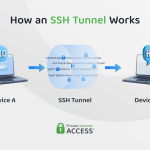
A Virtual Private Network (VPN) creates a secure, encrypted tunnel between your device and a remote server operated by the VPN provider. All your internet traffic passes through this tunnel, making it invisible to your local network administrator and encrypting it from end-to-end. This is widely considered the most robust and secure method for bypassing restrictions and enhancing online privacy.
How They Work:
When you connect to a VPN, your device establishes a secure connection to a VPN server. All your data is encrypted before it leaves your device and then routed through the VPN server. Your local network only sees an encrypted connection to the VPN server, not the websites you are visiting. The destination websites only see the IP address of the VPN server, not your actual IP. This effectively bypasses network firewalls and content filters.
Benefits:
- Strong Security and Privacy: Encrypts your data, protecting it from eavesdropping, and masks your IP address, enhancing your digital privacy.
- Bypasses Most Restrictions: Highly effective against DNS filtering, IP blocking, and URL filtering.
- Geo-Unblocking: Allows you to choose server locations worldwide, enabling access to geo-restricted content.
- Comprehensive Protection: Protects all applications on your device, not just browser traffic.
Choosing a Reliable VPN:
- No-Logs Policy: Ensure the VPN provider does not log your online activity.
- Strong Encryption: Look for industry-standard encryption protocols (e.g., OpenVPN, WireGuard with AES-256).
- Server Network: A wide range of server locations offers more options for unblocking and better speeds.
- Reputation and Reviews: Choose a well-established provider with positive user feedback.
- Cost: While free VPNs exist, paid services generally offer better security, speed, and reliability.
Pros:
- Highest Level of Security and Anonymity.
- Extremely Effective for Unblocking.
- Protects All Internet Traffic.
- Access to Global Content.
Cons:
- Cost: Reputable VPNs usually require a subscription.
- Potential Speed Reduction: Encryption and routing through a remote server can sometimes slightly decrease internet speed.
- Software Installation: Requires installing a VPN client on your device.
- VPN Detection: Some advanced networks and services (like certain streaming platforms) are getting better at detecting and blocking VPN traffic, though good VPNs constantly adapt.
Method 3: Altering DNS Settings
As mentioned, DNS filtering is a common blocking method. By changing your device’s DNS settings to use a public DNS server instead of your administrator’s default server, you can potentially bypass these restrictions.
How They Work:
Your computer typically uses the DNS server provided by your network (e.g., your ISP’s DNS, or your school/work network’s DNS). If this server is configured to block certain domains, you won’t be able to resolve their IP addresses. By switching to a public DNS server (like Google DNS: 8.8.8.8 and 8.8.4.4, or Cloudflare DNS: 1.1.1.1 and 1.0.0.1), you bypass the administrator’s filtering at the DNS level.
When This Method is Effective:
This method works primarily when the website blocking is implemented solely through DNS filtering. It will not bypass blocks based on IP addresses, URL content filtering, or advanced firewall rules.
Pros:
- Simple to Implement: Easy to change DNS settings in your operating system or router.
- Free: Public DNS servers are free to use.
- Can Improve Speed: Sometimes, public DNS servers are faster than default ones.
Cons:
- Limited Effectiveness: Only bypasses DNS-based blocks.
- Administrator Detection: Your administrator might detect non-standard DNS usage and block access to public DNS servers, or simply block the target website using other methods.
- No Encryption: Your traffic is not encrypted, offering no privacy benefits.
Method 4: The Anonymity of Tor Browser
Tor (The Onion Router) is a free, open-source software that enables anonymous communication. It routes your internet traffic through a worldwide volunteer overlay network consisting of thousands of relays, making it extremely difficult to trace your online activity or identify your location.
How It Works:
When you use Tor, your data is encrypted and sent through at least three random relay servers (nodes) in the Tor network. Each relay decrypts one layer of encryption to reveal the next relay’s address, similar to peeling layers of an onion. The final relay (exit node) sends your unencrypted traffic to the destination website. This multi-layered routing provides a high degree of anonymity and is excellent for bypassing heavy censorship.
Use Cases:
Tor is often used by journalists, activists, and individuals in regions with severe internet censorship to access blocked content and communicate anonymously. It’s also known for accessing the “dark web,” though its primary use is for anonymous browsing on the regular internet.
Pros:
- Extreme Anonymity: Very difficult to trace your online activities.
- Highly Effective Against Censorship: Designed to bypass even sophisticated blocking mechanisms.
- Free to Use.
Cons:
- Very Slow: The multi-layered routing significantly slows down internet speed, making it unsuitable for streaming or large downloads.
- Can Attract Scrutiny: Using Tor might flag your activity to administrators or even law enforcement in some jurisdictions, as it’s often associated with illicit activities (though it has many legitimate uses).
- Exit Node Risks: The exit node, where your traffic leaves the Tor network, can see your unencrypted traffic (if the website is not HTTPS). Malicious exit nodes are a known risk.
- Software Installation: Requires downloading and installing the Tor Browser.
Method 5: Browser Extensions and Add-ons
Many browser extensions offer lightweight VPN or proxy functionalities. These can be convenient for quick access to blocked sites within a specific browser.
How They Work:
These extensions typically route your browser’s traffic through a proxy server or a mini-VPN service. They are usually integrated directly into your browser (Chrome, Firefox, Edge) and can be toggled on or off easily.
When They Are Useful:
Good for bypassing simple DNS or URL-based blocks quickly, especially if you are restricted from installing full VPN software.
Pros:
- Convenience: Easy to install and use directly within your browser.
- Free Options: Many free extensions are available.
Cons:
- Limited Scope: Only affects browser traffic, not other applications.
- Security Concerns: Free extensions can be notorious for privacy violations, logging data, or injecting ads. Always research the reputation of the extension developer.
- Less Robust: Generally less secure and effective than a full VPN.
- Easily Blocked: Administrators can often block the installation or functionality of these extensions.
Method 6: Google Translate or Other Translators as Proxies
This is a clever, albeit limited, trick. If a website is blocked, you can sometimes access it by using a translation service.
How It Works:
When you paste a blocked website’s URL into Google Translate (or similar services) and ask it to translate the page (even to the original language), Google’s servers fetch the content. Since Google’s servers are likely not blocked, they can retrieve the page, and then display it to you through the translator’s interface.
Limitations and Effectiveness:
This method is usually effective only for very simple, static web pages. Complex sites with JavaScript, interactive elements, or streaming content will likely not render correctly or function at all.
Pros:
- Free and Simple: No software or configuration needed.
- Highly Accessible: Works on almost any device with a web browser.
Cons:
- Poor Formatting and Functionality: Websites often appear broken or are unusable.
- Limited Use Cases: Not suitable for interactive or media-rich sites.
- No Security or Privacy Benefits.
Method 7: Using IP Addresses Directly
Sometimes, administrators block websites by their domain name (e.g., “facebook.com”) but not necessarily by their underlying IP address. If the blocking mechanism is solely URL-based, you might bypass it by directly entering the website’s IP address into your browser.
How to Find an IP Address:
You can find a website’s IP address by using command-line tools like ping or nslookup (e.g., ping facebook.com in your command prompt/terminal). Note down the IP address (e.g., 157.240.23.35 for Facebook) and try entering it into your browser’s address bar.
When It Works:
This method is only effective if the blocking is strictly based on URL filtering and not IP address blocking or DNS filtering.
Pros:
- Extremely Simple: No extra tools or software needed.
- Free.
Cons:
- Rarely Effective: Most modern blocking systems block both domain names and their associated IP addresses.
- No Security or Privacy Benefits.
- IP Addresses Can Change: Websites’ IP addresses are not static and can change over time.
Method 8: Portable Browsers and USB Drives
In environments where software installations are restricted, but USB drives are allowed, running a portable browser from a USB stick can sometimes bypass local software restrictions.
How It Works:
A portable browser (like a portable version of Firefox or Chrome) is a self-contained application that runs directly from a USB drive without needing to be installed on the host computer. If the administrator’s restrictions are based on installed software or browser settings, a portable browser might operate outside these controls.
Pros:
- Bypasses Local Software Restrictions: Can run on machines where you don’t have administrative rights to install software.
- Maintains Personal Settings: Your bookmarks, history, and extensions are stored on the USB drive.
Cons:
- Network-Level Blocks Still Apply: This method will not bypass network-level restrictions (firewalls, DNS blocks, IP blocks). It only circumvents local software restrictions.
- USB Drive Restrictions: Many secured environments block the use of USB drives entirely to prevent data exfiltration or malware introduction.
- Security Risk: Using a personal USB drive on a public or work computer can pose security risks if the drive contains malware or if the computer is compromised.
Advanced Troubleshooting and What to Consider
The landscape of internet restrictions is constantly evolving. Administrators employ increasingly sophisticated tools to maintain control, and the methods to bypass them also grow in complexity.
Understanding Network Topologies
For those with a deeper technical interest, understanding the network topology can be invaluable. Is the block happening at the router, a dedicated firewall appliance, a proxy server, or endpoint software? Different blocking points require different unblocking strategies. For instance, a block at the router level might be bypassed by a VPN, while an endpoint software block might require a portable browser or a system-level DNS change.
The Evolving Landscape of Blocking Technologies
Administrators are now using AI-powered content filters, deep packet inspection (DPI) to identify VPN traffic, and even behavioral analysis to detect anomalous network usage. This means that methods that worked yesterday might not work today. Staying informed about the latest security technologies and privacy tools is crucial.
Prioritizing Security and Privacy
Regardless of the method chosen, always prioritize your security and privacy. Free solutions often come with hidden costs, typically your data. Invest in reputable paid services if your need for secure and reliable access is frequent or involves sensitive information. Always use HTTPS whenever possible, even when unblocking, to ensure your connection to the website is encrypted.
Best Practices for Responsible Unblocking
As powerful as these methods are, they come with responsibilities.
Always Assess the Risks
Before attempting to unblock a website, take a moment to understand the potential consequences. Is the site blocked for your safety, productivity, or for a legitimate policy reason? Is the content you’re trying to access truly essential, or can it wait until you’re on a personal, unrestricted network?
Opt for Reputable Solutions
If you decide to use a VPN or proxy, choose well-known, trusted providers. Read reviews, check their privacy policies, and understand their logging practices. Avoid obscure free services that promise the world but offer little transparency.
Understand the “Why” Behind the Block
Engage with your network administrator if possible (and if appropriate) to understand why a particular site is blocked. There might be a legitimate security concern you’re unaware of. Sometimes, a simple request can lead to the unblocking of a necessary resource.
Maintain Digital Hygiene
Keep your operating system, browser, and any unblocking software updated. Use strong, unique passwords. Be wary of phishing attempts, especially when using less secure unblocking methods.
Conclusion: Empowering Informed Choices
The ability to access information is a cornerstone of modern life, and encountering website restrictions can be a significant hurdle. This comprehensive guide has explored various methods for how to unblock websites restricted by administrator, from the robust security of VPNs to the simplicity of DNS changes and the anonymity of Tor. Each method offers a unique approach, with its own set of advantages and disadvantages, effectiveness against different blocking mechanisms, and crucial security implications.
While the technical means to bypass restrictions are readily available, the most critical takeaway is the importance of responsible and informed decision-making. Always weigh the perceived benefits of access against the potential risks to your security, privacy, and adherence to organizational policies. By understanding both the “how” and the “why,” you can navigate the digital landscape with greater confidence, ensuring that your pursuit of information is both effective and ethically sound. Empower yourself with knowledge, but always exercise caution and respect for the digital boundaries in place.
Comprehensive Question and Answer (Q&A) Section
Q1: Is it legal to unblock websites?
A1: The legality of unblocking websites largely depends on the context and jurisdiction. In most corporate or educational settings, it’s generally not illegal in a criminal sense, but it often violates the organization’s “Acceptable Use Policy” (AUP), which can lead to disciplinary actions (e.g., termination, expulsion). In countries with strict internet censorship, attempting to bypass government blocks can carry legal penalties. Accessing copyrighted material without authorization, even via unblocking, is also illegal. Always understand the specific policies and laws that apply to your situation.
Q2: Can administrators detect if I’m using a VPN or proxy?
A2: Yes, advanced administrators can often detect the use of VPNs or proxies. While a VPN encrypts your traffic, the administrator can still see that you are connecting to a known VPN server. Many organizations use deep packet inspection (DPI) or monitor network traffic patterns to identify and block VPN connections. Some firewalls maintain lists of known VPN server IP addresses. While it’s harder to see *what* you’re doing, it’s often possible to detect *that* you’re using an unblocking service.
Q3: What’s the difference between a VPN and a proxy?
A3: The main difference lies in security, encryption, and scope. A VPN (Virtual Private Network) creates an encrypted tunnel for all your internet traffic, protecting your entire device’s connection and offering strong privacy. It works at the operating system level. A proxy server acts as an intermediary for specific application traffic (usually web browsers), often without encryption. While both mask your IP address, a VPN offers a far superior level of security, privacy, and comprehensive protection compared to most proxies.
Q4: Are free VPNs safe to use?
A4: Free VPNs come with significant caveats regarding safety and privacy. Many free VPN providers monetize their services by logging user data, injecting ads, selling bandwidth, or even bundling malware. They often have limited server options, slower speeds, and weaker encryption compared to reputable paid VPNs. While some limited free versions from trusted providers exist (often with data caps), it’s generally recommended to avoid fully free, unknown VPN services, especially if you value your privacy and security.