In an era defined by sophisticated digital surveillance, aggressive corporate firewalls, and stringent Internet Service Provider (ISP) restrictions, the traditional methods of securing your online presence are rapidly becoming obsolete. A few years ago, a standard Virtual Private Network (VPN) or a basic Secure Shell (SSH) connection on Port 22 was enough to bypass geographical blocks and mask your internet traffic. Today, these legacy protocols are easily identified, flagged, and blocked by Deep Packet Inspection (DPI) algorithms.
To maintain true digital freedom in 2026, advanced netizens and cybersecurity enthusiasts have pivoted to a far more resilient technology: SSH over WebSocket (SSH WS). By encapsulating encrypted SSH traffic within standard web communication protocols, users can render their secure tunnels virtually invisible to network administrators.
Finding a highly reliable, high-speed SSH WebSocket free server is the holy grail for users looking to optimize their network routing, exploit zero-rated data packages using Server Name Indication (SNI) bug hosts, or simply browse the internet without Big Brother watching. In this comprehensive, 1500+ word masterclass, we will dissect the architecture of WebSocket tunneling, reveal the top platforms to secure a free premium server, and provide a granular, step-by-step guide to configuring your client software for flawless execution.
Part 1: The Evolution of Tunneling (Why Standard SSH is Dead)
To appreciate the power of an SSH WebSocket free server, you must first understand why the standard protocols are failing.
The Fall of Port 22
Secure Shell (SSH) was originally designed for secure, remote command-line administration of servers. By default, it operates on TCP Port 22. When you attempt to establish an SSH tunnel on a restricted network (like a university campus, a corporate office, or a heavily censored national network), the ISP’s firewall simply looks at the port number. If it sees traffic attempting to flow through Port 22, it drops the connection immediately.
Even if you change the standard SSH port to something else (like Port 143 or 109), modern DPI firewalls are smart enough to look inside the data packets. They recognize the cryptographic handshake of an SSH connection and will sever the tunnel regardless of the port number.
The Rise of WebSocket (WS) Encapsulation
WebSocket is a computer communications protocol providing full-duplex communication channels over a single TCP connection. It is heavily utilized by modern web applications for real-time data transfer (such as live chat widgets, multiplayer browser games, and live stock tickers).
WebSocket operates on the internet’s most trusted, universally open ports: Port 80 (HTTP) and Port 443 (HTTPS/TLS). Blocking these ports would effectively break the entire World Wide Web for everyone on that network.
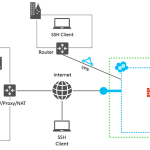
The Ingenious Exploit: When you use SSH over WebSocket, your client software takes your heavily encrypted SSH data and wraps it inside an HTTP WebSocket request. When this packet arrives at the ISP’s DPI firewall, the firewall sees what appears to be standard, harmless web browsing traffic heading to Port 443. The firewall approves the packet and lets it pass. Once the packet reaches your remote SSH WS server, the server strips away the HTTP wrapper, decrypts the SSH payload, and fetches the restricted content you requested.
This is the ultimate digital disguise.
Part 2: The Strategic Advantages of an SSH WS Server
Why do advanced users spend time hunting for an SSH WebSocket free server instead of just buying a commercial VPN? The advantages go far beyond simply saving money.
1. Cloudflare CDN Routing and IP Masking
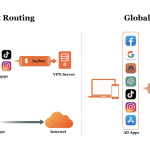
One of the most powerful features of SSH WS is its compatibility with Content Delivery Networks (CDNs) like Cloudflare. Instead of connecting directly to your server’s IP address, you can point your connection to a Cloudflare proxy IP. Because Cloudflare processes a massive percentage of the world’s internet traffic, your ISP only sees you connecting to a trusted Cloudflare node. This makes it practically impossible for the ISP to determine your final destination, providing an impenetrable layer of anonymity.
2. Exploiting SNI (Server Name Indication) for Free Internet
In many developing nations, telecom providers offer “zero-rated” data packages—meaning you get unlimited data for a specific app (like WhatsApp or a university portal), but zero data for the rest of the internet.
By using an SSH WS server in conjunction with an injection app (like HTTP Injector), you can manipulate the SNI header. You forge the header to look like the allowed zero-rated site (the “Bug Host”). The ISP sees the Bug Host and allows the traffic without deducting your data balance. The WebSocket tunnel then routes that traffic to the open internet, effectively granting you free, uncapped browsing.
3. Extremely Low Latency
Standard VPN apps carry heavy protocol overhead. Because SSH WS is incredibly lightweight, it processes packets faster. When you connect to a premium SSH WS server located geographically close to your game’s host server (e.g., a Singapore server for Asian gaming), you can drastically reduce your ping and eliminate packet loss.
Part 3: Where to Find a Premium SSH WebSocket Free Server
Because WebSocket servers require specific software configurations (like Nginx reverse proxies or Stunnel) and consume significant bandwidth, premium providers limit access to ensure stability. You will rarely find a permanent free account; instead, providers offer high-speed trial accounts that last between 3 to 7 days.
Here are the most reputable, elite platforms to generate your account today:
1. SSHKit.com (The Industry Standard)
SSHKit is unequivocally the best platform for modern protocols. They explicitly cater to users needing WS, V2Ray, and Trojan setups.
-
The Advantage: Their servers are frequently backed by enterprise cloud providers (AWS, DigitalOcean, Linode), ensuring massive 1Gbps to 10Gbps uplinks.
-
Account Limits: They offer generous 7-day accounts.
-
Pro-Tip: Look for their specific “Cloudflare” labeled servers if you plan on utilizing CDN routing.
2. FastSSH.com (The Speed King)
While famous for standard SSH, FastSSH has a dedicated sub-section for WebSocket and SSL/TLS tunneling.
-
The Advantage: Unbeatable stability and dedicated “Gaming” WS servers specifically optimized for UDP traffic.
-
The Catch: Their servers reset at exactly 00:00 GMT+7. The slots for the most popular Singapore WS servers run out within 60 seconds. You must be fast.
3. SSHOcean.com (The User-Friendly Option)
SSHOcean provides a beautiful, transparent dashboard that makes finding an open server incredibly easy.
-
The Advantage: They display the “Remaining Quota” for each server directly on the main page. They also offer occasional 30-day WS servers, which are incredibly rare in the free tunneling community.
-
Configuration: They provide auto-generated payload scripts when you create an account, saving you time during client setup.
Part 4: Step-by-Step Configuration Guide
Possessing the credentials for an SSH WebSocket free server is useless if you do not know how to inject the payload. Below is the master setup guide for the two most popular environments: Android and Windows PC.
Scenario A: Mobile Setup via HTTP Injector (Android)
Step 1: Generate Your Account Go to SSHKit.com, navigate to the SSH WS section, and create an account. Copy the generated data: Server IP, Username, Password, and the WS Port (usually 443 for TLS).
Step 2: Configure the App
-
Download HTTP Injector from the Google Play Store and open it.
-
Tap the Gear Icon (Settings) -> Secure Shell (SSH).
-
Input your Host IP, Port (443), Username, and Password. Go back to the main screen.
Step 3: Setup the Payload and SNI
-
On the main screen, tap the Tunnel Type section.
-
Select Secure Shell (SSH) and the connection method as Custom Payload (TCP) or TLS/SSL (stunnel) depending on your network trick. Let’s assume a standard WS TLS setup.
-
In the SNI box, type your Bug Host (e.g.,
www.cloudflare.comor your zero-rated URL). -
Tap the sidebar menu and select Payload Generator.
-
You must construct a WebSocket HTTP header. A standard working WS payload looks like this:
GET wss://[bug_host]/ HTTP/1.1[crlf]Host: [host][crlf]Upgrade: websocket[crlf]Connection: Keep-Alive[crlf][crlf](Note: Replace[bug_host]with your SNI and[host]with your Server IP). -
Tap Start, switch to the Log tab, and wait for the
HTTP/1.1 200 OKstatus. You are connected!
Scenario B: Desktop Setup via NetMod (Windows PC)
For PC users, utilizing an application like NetMod is far superior to standard SSH clients because it has built-in payload injection capabilities.
Step 1: Install NetMod Download NetMod from its official GitHub repository or developer site and install it on your Windows 10 machine.
Step 2: Input Server Details
-
Open NetMod.
-
Check the box for SSH on the main dashboard.
-
Click the Profile or Settings icon. Input your Server Host, Port (443), Username, and Password.
Step 3: Payload and Proxy Configuration
-
In the NetMod main interface, locate the Payload text box. Paste the same WebSocket payload structure mentioned in the Android guide.
-
Locate the SNI text box and input your Bug Host URL.
-
(Optional but Recommended): If your SSH WS server supports Cloudflare CDN, put a working Cloudflare Proxy IP into the “Proxy” box. This forces the payload to route through the CDN first, masking the handshake.
-
Click Start. The log window will display the tunneling process. Once it says “Connected,” your entire PC traffic is securely routed.
Part 5: Diagnosing and Troubleshooting WS Errors
WebSocket tunneling is complex, and ISPs are constantly updating their firewalls. If your connection fails, look at the application logs to diagnose the issue:
-
Error 302 Found (Redirection): This is the most common error. It means your payload reached the ISP, but the ISP recognized it as unauthorized and is trying to redirect you to a captive portal (like an “Out of Data” page). Fix: Your SNI/Bug Host is dead. You need to find a new one that is currently active on your specific network.
-
Error 400 Bad Request: Your payload structure is malformed. The server received the request but couldn’t read the WebSocket upgrade command. Fix: Check your carriage returns
[crlf]in the payload generator. Ensure there are no accidental spaces. -
Connection Refused / Timeout: The SSH server is likely full, down for maintenance, or your free account has expired. Fix: Create a new account on a different server (e.g., switch from a Singapore server to a Japan server) and update your credentials.
Part 6: Ethical Usage and Security Best Practices
While securing a free, high-speed encrypted tunnel is an incredible technical achievement, it comes with responsibilities. Keep these rules in mind:
-
The Golden Rule: No Torrenting. Free SSH servers are hosted on shared VPS instances. If you attempt to download a torrent via P2P networks, you will immediately spike the server’s CPU usage. Provider scripts will detect this instantly, terminate your connection, and permanently ban your IP address.
-
Track Expirations: Free accounts expire. If you use this tunnel for vital work, set a calendar reminder to generate a new account 12 hours before your current one expires to avoid sudden disconnections.
-
Beware of Phishing: Only download your client applications (HTTP Injector, NetMod, OpenVPN) from official sources like the Google Play Store or verified GitHub repositories. Malicious actors frequently upload “modded” versions of these apps containing trojans.
Conclusion
The internet is no longer a free and open landscape; it is heavily partitioned, monitored, and restricted. By mastering the implementation of an SSH WebSocket free server, you reclaim your digital autonomy. You transcend basic VPN applications and learn the underlying mechanics of network routing, HTTP encapsulation, and DPI evasion.
Whether you are seeking to lower your competitive gaming latency, secure your banking data on public Wi-Fi, or bypass aggressive ISP censorship to access the free internet, SSH over WebSocket is the ultimate tool in the modern cyber-arsenal. Use it wisely, configure it accurately, and browse without borders.
Question
Here are the comprehensive Questions and Answers regarding SSH WebSocket Free Servers, translated into professional, high-quality English. These are excellent for educational purposes, blog FAQs, or forum discussions:
Q1: What exactly is an SSH WebSocket (SSH WS)?
Answer: SSH WebSocket is an advanced network tunneling method. It encapsulates (wraps) standard encrypted SSH traffic inside a normal web communication protocol, namely WebSocket. In short, it “disguises” itself as regular internet traffic so that network security systems do not flag it as a VPN or SSH tunnel.
Q2: Why is SSH WS considered far superior to standard SSH (Port 22)?
Answer: Standard SSH operates on Port 22, which is easily detected and frequently blocked by network administrators (such as campus Wi-Fi, corporate networks, or strict ISPs) using Deep Packet Inspection (DPI). Conversely, SSH WebSocket utilizes Port 80 (HTTP) and 443 (HTTPS/TLS). Because these ports are the lifeblood of all global web browsing activity, firewalls are forced to let them pass; blocking port 443 is essentially equivalent to shutting down internet access altogether.
Q3: Why do so many people look for an “SSH WS Free Server” to pair with apps like HTTP Injector on Android?
Answer: This combination allows users to inject custom payloads and manipulate network headers, specifically utilizing the SNI (Server Name Indication) feature. If a user has a restricted data plan (e.g., a “chat-only” or “educational-only” data quota), they can input that specific allowed URL (as a Bug Host) into HTTP Injector. The ISP’s system thinks the user is simply accessing the free/allowed site, while the actual traffic is being secretly routed through the SSH WS server, granting access to the full, unrestricted internet.
Q4: Is it safe to use free SSH servers from online providers?
Answer: Yes, provided they are from trusted, established community providers (like FastSSH, SSHKit, or SSHOcean). However, there is a golden rule to remember: the endpoint server will ultimately decrypt your data packets before forwarding them to the open web. Therefore, you should avoid conducting banking transactions or transmitting highly sensitive, unencrypted data while using a free server that you do not own. Primarily use these free servers for gaming (lowering ping), streaming, or bypassing censorship.
Q5: Why do these premium free SSH servers typically only last for 3 to 7 days?
Answer: Providers limit the account’s active lifespan (usually 3, 5, or 7 days) and apply daily creation quotas to maintain Quality of Service (QoS). If a single server were used permanently by thousands of people without limits, it would quickly overload, exhaust its bandwidth, and speeds would drop to an unusable crawl. The expiration system ensures inactive users are routinely purged, making room for new users and maintaining blazing-fast speeds.
Q6: What is the absolute biggest taboo when using an SSH WS Free Server?
Answer: Torrenting (P2P). You are strictly prohibited from downloading torrent files using these servers. Peer-to-peer torrent activity drains CPU resources and rapidly floods the provider’s VPS (Virtual Private Server) bandwidth. If you attempt it, the provider’s automated security scripts will instantly detect the activity, terminate your connection, and permanently ban your real IP address from creating future accounts.
Q7: What role does a Cloudflare CDN (Content Delivery Network) play in SSH WS?
Answer: The WebSocket protocol is highly compatible with CDNs. Advanced users can point their connection to a Cloudflare proxy IP instead of the direct SSH server IP. This provides a massive extra layer of anonymity because your ISP only sees that you are connected to Cloudflare’s globally trusted network, not to a random private VPS overseas. This routing technique also frequently helps stabilize connection speeds and bypass trickier firewalls.