In the underground world of network optimization, mobile privacy, and internet freedom, few tools are as revered as HTTP Injector. Developed by Evozi, this Android application is a powerhouse for tech-savvy users looking to bypass restrictive corporate firewalls, manipulate network requests, or circumvent stringent Internet Service Provider (ISP) data packages.
By allowing users to customize HTTP headers and inject specific payloads into their network requests, HTTP Injector can effectively trick an ISP’s Deep Packet Inspection (DPI) systems. However, the app itself is merely the vehicle; it requires an engine to actually route your traffic to the open web. That engine is a Secure Shell (SSH) server.
If you have downloaded the app but are staring blankly at the configuration screen, you need to understand the backend. In this comprehensive, 1500+ word technical guide, we will break down exactly how to make a free SSH account for HTTP Injector, demystify the modern protocols required to make it work, and provide a step-by-step masterclass on configuring your payloads and Server Name Indication (SNI) settings for flawless execution.
Part 1: The Synergy Between HTTP Injector and SSH
Before you create an account, you must understand why you are creating it. How does HTTP Injector actually work in tandem with an SSH server?
When you browse the internet normally, your device sends a standard request to your ISP, which then connects you to the destination website. If your ISP has a rule that blocks a specific website (or if you are out of data but have a specific “social media only” data package), the ISP drops the connection.
HTTP Injector intercepts this process. It allows you to forge the “header” of your network request. For example, you can make your request look exactly like you are trying to access a zero-rated, unblocked educational portal or telecom customer service site (this is known as the “Bug Host” or SNI).
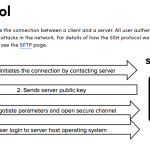
Once the ISP sees this forged header, it permits the traffic to pass through its firewall. But instead of actually going to that educational portal, HTTP Injector instantly tunnels that traffic into an encrypted SSH connection pointing to your remote server. The remote SSH server receives the traffic, decrypts it, fetches the actual website you wanted to visit (like YouTube or Google), and sends it back through the secure tunnel.
To execute this, you need a high-speed, reliable SSH account.
Part 2: The Evolution of Injection Protocols (Choosing the Right SSH)
You cannot just use any standard SSH account for HTTP Injector anymore. ISPs have evolved, and so have tunneling protocols. When learning how to make a free SSH account for HTTP Injector, you must choose the correct protocol format from your provider.
1. Standard OpenSSH (Port 22)
In the early days of HTTP Injector, users could inject a payload and route it through a standard OpenSSH port.
-
The Reality Today: ISPs now heavily monitor or outright block Port 22 for standard consumer data lines. Using basic OpenSSH for payload injection is mostly obsolete unless you are on a highly unrestricted Wi-Fi network.
2. SSL/TLS and Stunnel (Port 443)
To evade detection, developers started wrapping SSH traffic inside an SSL/TLS encryption layer.
-
How it works: By using Port 443, your SSH traffic mimics standard, secure web traffic (HTTPS). When combined with an SNI (Server Name Indication) spoofing technique in HTTP Injector, you can bypass most modern DPI firewalls.
3. SSH over WebSocket (SSH WS) (Port 80/443) – The Current Meta
This is currently the most powerful and widely used protocol for HTTP Injector.
-
How it works: WebSocket is a communications protocol providing full-duplex communication channels over a single TCP connection. By layering SSH over a WebSocket connection, you can heavily manipulate HTTP payloads. Furthermore, SSH WS seamlessly integrates with Content Delivery Networks (CDNs) like Cloudflare. This means you can point your HTTP Injector to a Cloudflare IP, and Cloudflare will route it to your SSH server, providing an incredible layer of obfuscation and often resulting in uncapped internet speeds.
The Golden Rule: When creating your account, always look for SSH WebSocket (SSH WS) or SSL/TLS servers.
Part 3: Where to Make Your Free SSH Account
Because tunneling requires substantial server resources, premium SSH accounts are expensive. However, several elite tunneling communities provide enterprise-grade servers for free, utilizing a daily quota system.
Here are the top three platforms to generate your account:
1. SSHKit.com (Best for WebSocket and CDN Routing)
If you are using HTTP Injector for complex WebSocket payloads, SSHKit is arguably the best provider on the internet.
-
Why it excels: They specialize in modern protocols (SSH WS, V2Ray, Trojan). Their servers are often backed by high-tier cloud infrastructure like AWS and DigitalOcean, ensuring massive bandwidth.
-
Account Lifespan: They frequently offer 7-day active accounts, which is highly generous for the industry.
2. FastSSH.com (Best for Gaming and Reliability)
A veteran in the tunneling space, FastSSH is the go-to if you are injecting payloads specifically to lower your ping in mobile games.
-
Why it excels: They offer dedicated “SG-Gaming” (Singapore Gaming) servers that are meticulously optimized for UDP packet handling and low latency.
-
Account Lifespan: Usually 3 days. You must be fast to grab a slot, as their servers typically reset at midnight (GMT+7) and fill up within minutes.
Read Also: How To Fix Ssh Connection Refused Port 22
3. SSHOcean.com (Best for Easy Navigation and Quotas)
SSHOcean offers a brilliant user interface that clearly displays how many account slots are left on a specific server in real-time.
-
Why it excels: Great variety of servers (including 30-day active servers if you can catch them). They fully support Stunnel and WebSocket configurations necessary for HTTP Injector.
Part 4: Step-by-Step Guide: Creating the Account
For this demonstration, we will assume you are using SSHKit to create a highly versatile SSH WebSocket account.
-
Navigate to the Provider: Open your browser and go to
sshkit.com. -
Select the Protocol: In their navigation menu, find the section labeled SSH WebSocket or SSH WS.
-
Choose a Location: Select a server that is geographically close to you. If you are in Asia, choose Singapore. If in Europe, choose Germany or the UK. This minimizes latency.
-
Input Details: Click on an available server. You will be prompted to enter a Username (e.g.,
injector-pro) and a Password (e.g.,1234). -
Generate: Complete the captcha and click Create Account.
-
SAVE YOUR DATA: The site will generate a result page. You must immediately copy and paste this into a notepad app. You need:
-
Host IP / Server Address: (e.g.,
sg1.sshkit.netor188.166.x.x) -
Username: (e.g.,
sshkit-injector-pro) -
Password: (e.g.,
1234) -
WS Port (TLS):
443 -
WS Port (Non-TLS):
80
-
Part 5: The Masterclass – Configuring HTTP Injector
Now that you possess a premium, free SSH WS account, it is time to plug it into the engine.
Step 1: Inputting Your SSH Credentials
-
Open the HTTP Injector app on your Android device.
-
Tap the Gear Icon (Settings) in the top right corner.
-
Select Secure Shell (SSH).
-
Tap SSH Host and paste your Host IP / Server Address.
-
Tap SSH Port and enter
443(for secure TLS) or80. -
Enter your generated Username and Password in their respective fields.
-
Return to the main dashboard of the app.
Step 2: Configuring the Tunnel Type
This is where most beginners fail. You must tell HTTP Injector how to handle the traffic before it hits the SSH server.
-
On the main screen, locate the Tunnel Type section (it might currently say SSH -> Direct). Tap it.
-
A configuration menu will pop up.
-
For SSL/TLS (Stunnel): Choose the Connection Method as TLS/SSL (stunnel) and select Secure Shell (SSH).
-
For WebSocket (SSH WS): Choose Custom Payload or HTTP Proxy, depending on your specific network trick requirement.
Step 3: Setting Up SNI and Payload
To bypass your ISP’s firewall, you must disguise the traffic.
-
If using TLS/SSL: You will see a box labeled Server Name Indication (SNI) on the main screen. Enter your “Bug Host” here. A Bug Host is a URL that your ISP allows you to browse for free (e.g.,
www.whatsapp.comif you have a chat-only data package, or an educational portal URL). -
If using a WebSocket Payload: You must generate a custom HTTP header. Tap Payload Generator in the sidebar menu. A standard WebSocket payload structure often looks like this:
GET wss://[bug_host]/ HTTP/1.1[crlf]Host: [host][crlf]Upgrade: websocket[crlf]Connection: Keep-Alive[crlf][crlf](Note: You replace
[bug_host]with your SNI URL and[host]with your SSH Server IP).
Step 4: Start and Verify
-
Once your SSH details, Tunnel Type, and SNI/Payload are set, tap the large START button.
-
Immediately swipe over to the LOG tab.
-
This is the diagnostic center. You will see HTTP Injector attempting the handshake.
-
If you see HTTP status codes like
HTTP/1.1 200 OKor101 Switching Protocols, followed by Connected in green text, you have successfully tunneled your connection!
Part 6: Troubleshooting Advanced Errors
Network manipulation is an inexact science, and things frequently break. Here is how to read the logs and fix common issues:
-
Error: Status 302 Found: A 302 code means your ISP intercepted the payload and is trying to redirect you to a captive portal (like a page telling you that you are out of data). Fix: Your SNI/Bug Host is dead or blocked. You must research and find a new working SNI for your specific telecom provider.
-
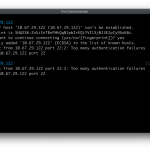
Error: Connection Refused / Authentication Failed: Your SSH server has expired. Fix: Go back to SSHKit or FastSSH and create a brand new account, then update the credentials in the app settings.
-
Error: Premature Connection Close: The SSH server is rejecting your payload format. Fix: Ensure your carriage returns
[crlf]are properly formatted in the payload generator, and that you are using the correct port (e.g., trying to send a WS payload to a strict OpenSSH Port 22 will immediately fail).
Conclusion
Mastering HTTP Injector transforms you from a passive consumer of internet services into an active network administrator of your own mobile device. By understanding the underlying architecture of tunneling protocols and knowing exactly how to make a free SSH account for HTTP Injector, you gain the power to bypass censorship, encrypt your mobile data against bad actors, and optimize your connection routing entirely on your own terms. As long as you respect the server providers’ anti-torrenting rules and keep your configurations updated, you hold the ultimate key to unrestricted digital freedom.